
Ferramenta de vídeo com IA

Video Watermark Remover Online online com IA

Envie seu vídeo

Arraste um arquivo aqui ou clique para procurar

Os vídeos são processados com segurança e não são compartilhados

MP4, MOV, AVI, MKV, WebM · Até 2 GB

Ver a diferença

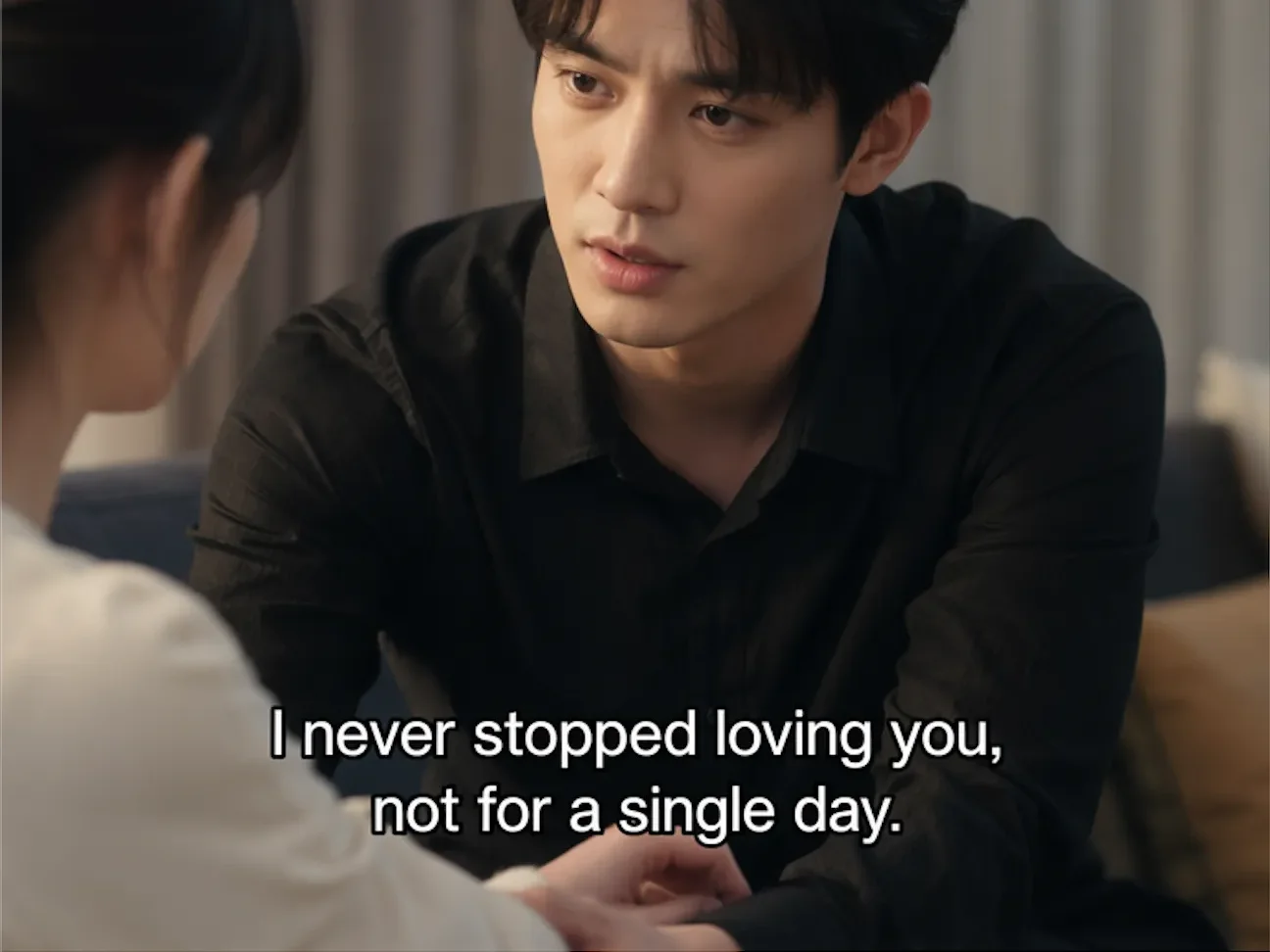
AntesAuthorized video with visible watermark before AI cleanup - UnmarkAI
DepoisClean video after AI watermark removal with full frame preserved - UnmarkAI

Limpe marcas d'água, textos, legendas ou logos com IA, preservando o enquadramento e a qualidade sempre que possível.

O UnmarkAI ajuda creators, marcas e equipes a limpar vídeos próprios, licenciados ou autorizados direto no navegador.

What is the best way to remove a watermark from video without blur?

For authorized footage, the cleanest workflow is AI inpainting: select the visible watermark area, remove the watermark pixels, and reconstruct the hidden background. This keeps the full frame and avoids the soft blur patch left by traditional tools.
Which video watermarks can UnmarkAI remove?

UnmarkAI is built for visible watermarks that are part of the video frame, including corner logos, social media marks, AI generator marks, hardcoded subtitles, date stamps, timestamps, draft labels, and review text. It does not claim to remove invisible provenance or ownership metadata.

Ferramenta online para limpar vídeos com IA

A IA costuma ficar mais natural que cortar ou borrar quando há logos móveis, legendas, datas ou texto gravado no vídeo.

Corner logos

Small visible marks that stay in one corner of the frame.

Platform marks

TikTok, YouTube, Instagram, or social repost labels on authorized clips.

AI generator marks

Visible Veo, Gemini, Kling, or PixVerse marks rendered into the frame.

Text and timestamps

Hardcoded subtitles, date stamps, draft notes, and review text.

Como limpar marca d'água de vídeo online

Envie um vídeo que você pode editar, marque a área a limpar, confira a prévia e baixe o resultado.

01

Como limpar marca d'água de vídeo online

Envie um vídeo que você pode editar, marque a área a limpar, confira a prévia e baixe o resultado.

02

Select the watermark or logo area

Draw a focused box around the visible watermark, subtitle band, timestamp, corner logo, or AI generator mark that should be cleaned.

03

Preview and export the clean video

Compare before and after frames, check motion edges and textures, then download the cleaned clip when the result is ready.

Remove visible watermarks without cropping the frame

Cropping cuts away useful composition, and blur makes the edit obvious. AI cleanup preserves the frame and reconstructs the hidden pixels behind the mark.

  • Platform logosClean TikTok, YouTube, Instagram, and other visible marks from clips you own.
  • AI generator marksRemove visible Veo, Gemini, Kling, or PixVerse marks from authorized outputs.
  • Fixed overlaysErase hardcoded subtitles, timestamps, draft labels, and review notes.
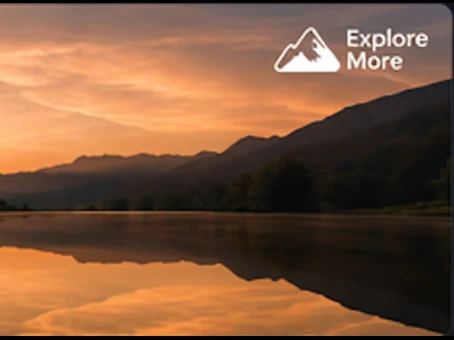
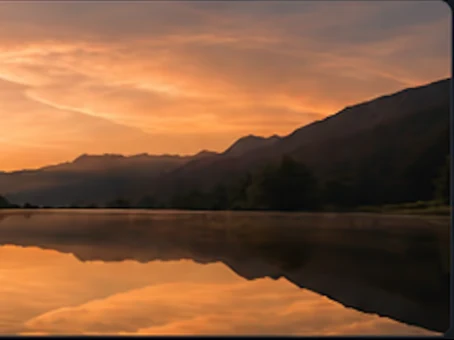
AntesVideo watermark cleanup - before
DepoisVideo watermark cleanup - after
Quer um vídeo mais limpo?Com IA, sem borrar e sem perder qualidade.
Começar grátis
AntesAuthorized cleanup - before
DepoisAuthorized cleanup - after
Quer um vídeo mais limpo?Com IA, sem borrar e sem perder qualidade.
Começar grátis

Built for responsible video cleanup workflows

Use watermark removal for videos you created, licensed, or are explicitly authorized to edit. Do not use it to hide attribution or republish third-party content without permission.

  • Owned clipsYour original creator exports, brand videos, demos, or internal training clips.
  • Licensed mediaStock footage or partner assets where the license permits derivative editing.
  • Client-approved workFinal delivery cleanup where the content owner has approved the scope.

Compatível com formatos e dispositivos comuns

Funciona no celular e no computador com formatos como MP4, MOV e WebM direto no navegador.

MP4, MOV, AVI, MKV, WebM

Upload common files from social exports, cameras, screen recordings, and editing tools.

HD and 4K sources

High-resolution sources preserve more texture behind the selected watermark area.

Box select workflow

A tight box helps focus processing on the visible mark instead of the full frame.

Original frame preserved

The workflow is designed to avoid destructive cropping whenever possible.

Feito para reutilizar conteúdo próprio

Prepare seus clipes, anúncios, tutoriais ou materiais autorizados para publicar em diferentes canais.

Social platform watermarks

TikTok, YouTube, Instagram, Shorts, and Reels marks on clips you own.

AI video generator marks

Visible generator branding from authorized AI video outputs.

Draft and review marks

Client notes, approval labels, or temporary export text.

Clean master preparation

Prepare a clean version before translation, captioning, or final delivery.

Trabalhe apenas com conteúdo autorizado

Use o UnmarkAI com vídeos próprios, licenciados ou com permissão explícita. Não remova atribuição de conteúdo de terceiros.

Owned footage

Videos created by you or your team.

Licensed assets

Media where your license allows edits and derivative exports.

Client-approved edits

Delivery work where the content owner approved cleanup.

No attribution stripping

Do not use cleanup to disguise third-party ownership.

Por que a limpeza com IA parece mais natural

A IA reconstrói áreas cobertas usando o contexto do vídeo e evita cortes ou manchas visíveis.

MethodFrame impactVisual result
AI inpaintingFull frame preservedBackground reconstructed naturally
Blur or mosaicFrame preservedVisible soft patch remains
CropFrame area lostComposition changes permanently

No blur patch

The cleaned area is reconstructed instead of covered.

No forced crop

Keep products, faces, subtitles, and framing intact.

Fast preview workflow

Compare the result before downloading the final export.

Works across common overlays

Logos, timestamps, subtitles, and draft marks can share one cleanup workflow.

Confiança

Feito para limpar vídeos com autorização

O UnmarkAI foi criado para creators e equipes que trabalham com conteúdo próprio, licenciado ou com permissão para editar.

Fluxo atento a direitos

Projetado para ajudá-lo a limpar vídeos que você possui, licencia ou está expressamente autorizado a editar.

Prévia antes do download

Verifique a reconstrução da IA quadro a quadro antes de exportar o vídeo limpo final.

Processamento seguro

Seus uploads e exportações são processados com segurança e nunca compartilhados com terceiros.

Política de uso clara

Diretrizes rígidas contra a remoção de atribuições de conteúdo de terceiros não autorizado.

Perguntas frequentes

Respostas práticas para limpar vídeos com segurança e boa qualidade.

Para que tipo de vídeo serve?

Serve para vídeos próprios ou autorizados, como clipes sociais, materiais de marca, tutoriais e arquivos internos.

Can I remove a watermark from video without blur?

Yes. UnmarkAI uses AI inpainting to remove visible watermark pixels and reconstruct the background, which is cleaner than blur or mosaic tools.

Can I remove TikTok, YouTube, or Instagram watermarks?

Yes, for videos you own or have permission to edit. Use the platform-specific guides for TikTok, YouTube, and Instagram cleanup details.

Can I remove AI generator watermarks?

UnmarkAI can clean visible marks rendered into authorized AI-generated video frames. It does not claim to remove invisible provenance markers.

Pronto para limpar seus vídeos?

Remova distrações e deixe seus clipes mais prontos para publicar, vender ou entregar.

Começar grátis agora

Ganhe 10 créditos ao se cadastrar · Sem cartão de crédito