AI 動画クリーンアップ

Remove Subtitles from Video — Free AI Tool, No Crop Needed - AI オンラインツール

動画をアップロード

ファイルをドラッグ&ドロップ、またはクリックして選択

動画は安全に処理され、共有されません

MP4、MOV、AVI、MKV、WebM · 最大 2GB

違いを見る

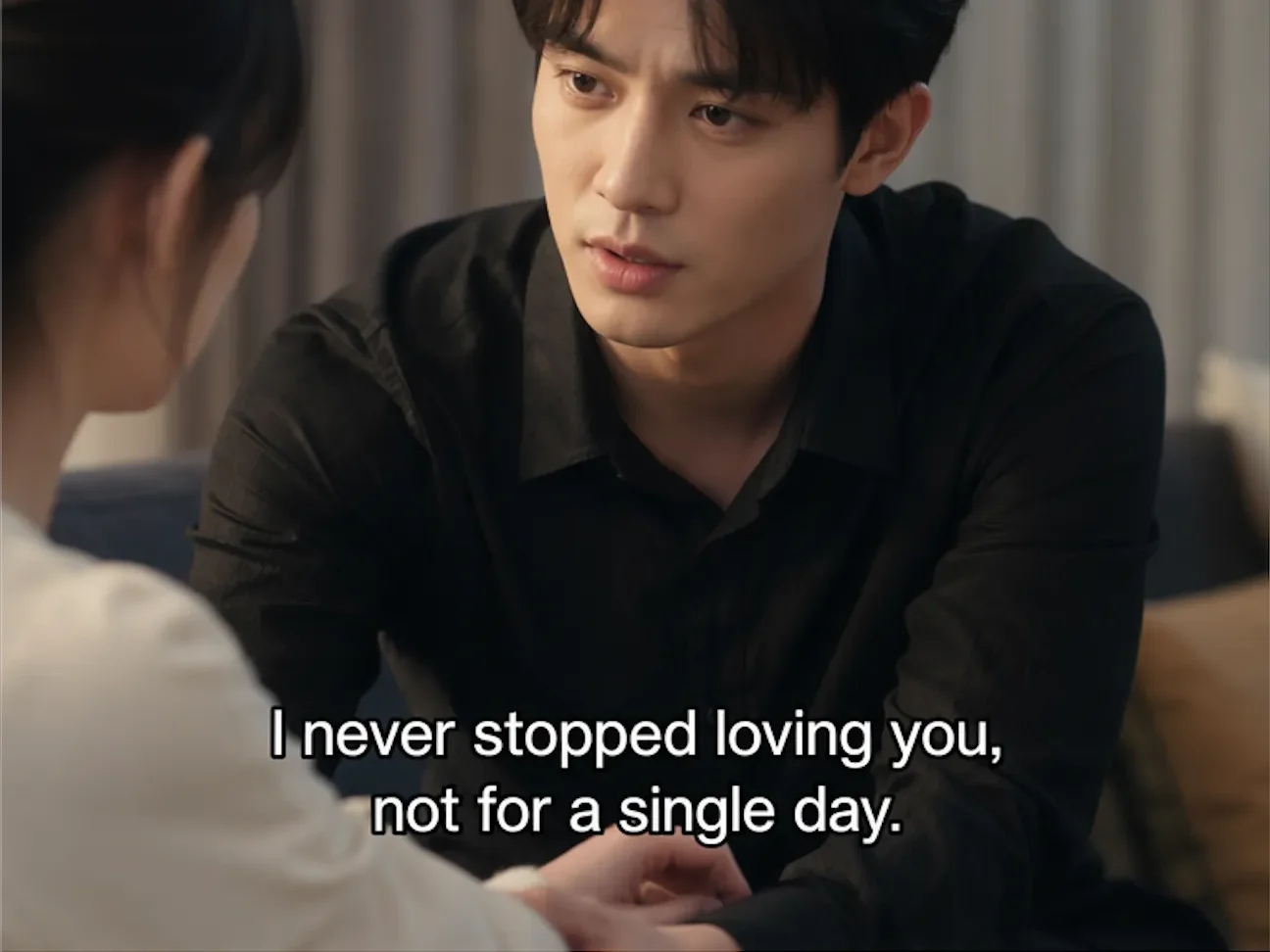
処理前Video with hardcoded subtitles before AI removal - UnmarkAI
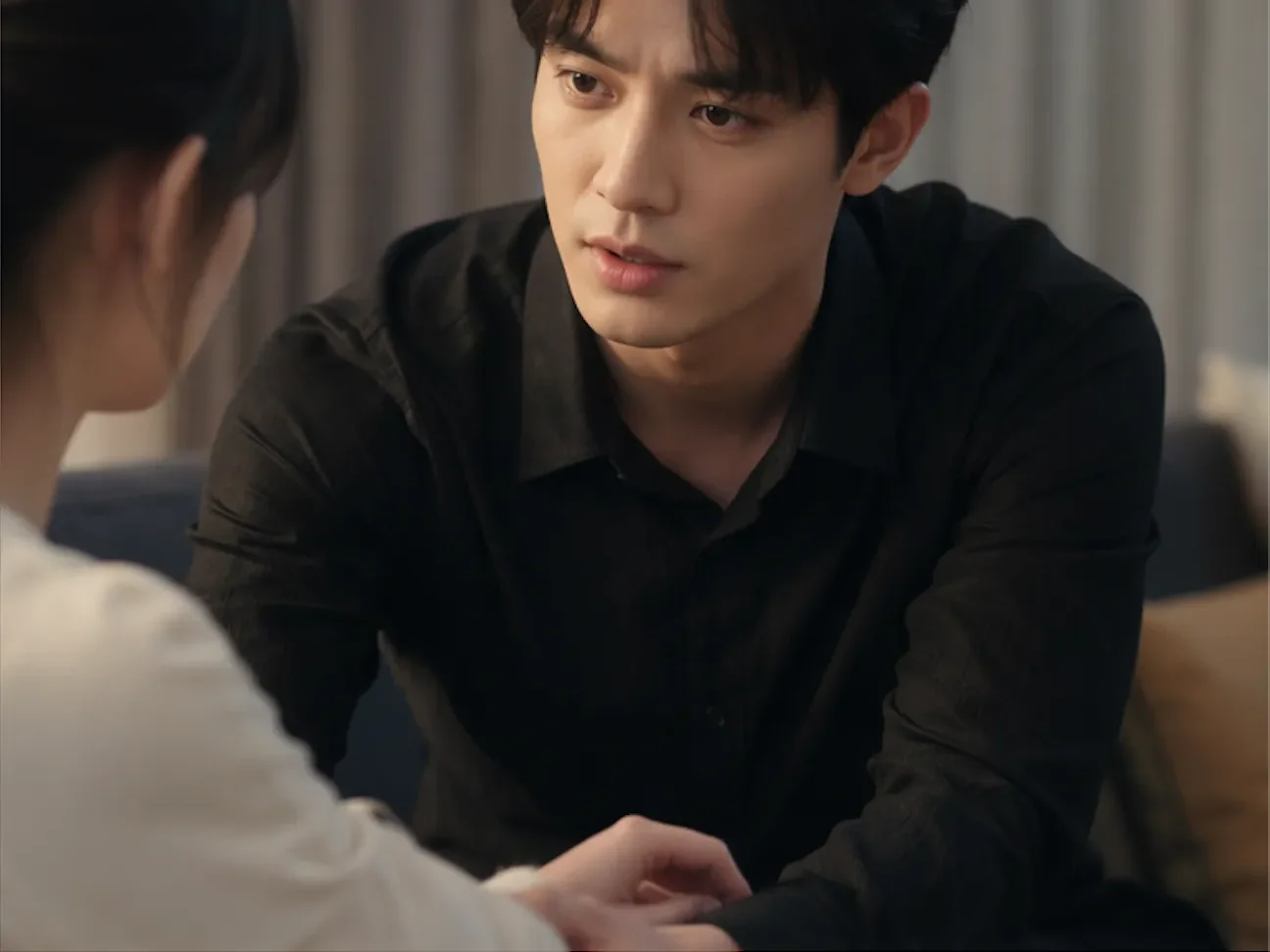
処理後Video after AI subtitle removal, clean background restored - UnmarkAI

AI で動画内の透かし、文字、字幕、ロゴを自然に削除し、元の画質と構図をできるだけ保ちます。

UnmarkAI は、自分が所有する動画や編集許可のある素材を扱うクリエイター、ブランド、チーム向けのオンラインツールです。

AI 動画透かし削除ツール

切り抜きやぼかしよりも、AI は動く透かし、字幕、タイムスタンプ、ロゴを自然に処理しやすい方法です。

  • Soft subtitles (SRT/VTT/ASS): separate text track, can be toggled off in the player, no removal needed — just disable the track.
  • Hardcoded/burned-in subtitles: text is fused into the video frames at the pixel level, visible in every frame regardless of player settings.
  • AI-generated embedded text: tools like Seedance 2.0, Kling, and Happy Horse render text directly into the output — functionally identical to hardcoded subtitles.
  • How to tell the difference: turn off all subtitle tracks in your player. If the text is still visible on screen, it is hardcoded and requires AI inpainting to remove.

動画の透かしをオンラインで消す方法

権利のある動画をアップロードし、削除したい範囲を指定して、プレビュー後にダウンロードします。

01

動画の透かしをオンラインで消す方法

権利のある動画をアップロードし、削除したい範囲を指定して、プレビュー後にダウンロードします。

02

Select the subtitle region

Draw a box around the area where subtitles appear. The AI identifies text boundaries within that region and maps the subtitle area across every frame in the clip.

03

AI removes and restores

AI inpainting erases the subtitle text and reconstructs the original background behind it. Preview the result side-by-side, then download the clean export.

Hardcoded subtitle removal results

See how AI inpainting removes burned-in subtitles without cropping the frame or leaving blur artifacts. The original background is reconstructed pixel by pixel.

  • Background restoredAI reconstructs the scene behind the subtitle text, filling in the area with matching detail.
  • No crop or quality lossThe full video frame stays intact at original resolution — nothing is cut away.
  • Works on any subtitle styleHandles white text, colored captions, outlined fonts, and multi-line overlays.
  • Frame-by-frame precisionEvery frame is processed individually so moving backgrounds and scene transitions stay clean.
処理前Burned-in subtitle removal - before
処理後Burned-in subtitle removal - after
もっと自然な動画に仕上げますか?AI 処理でぼかしなし、画質低下なし。
無料で開始
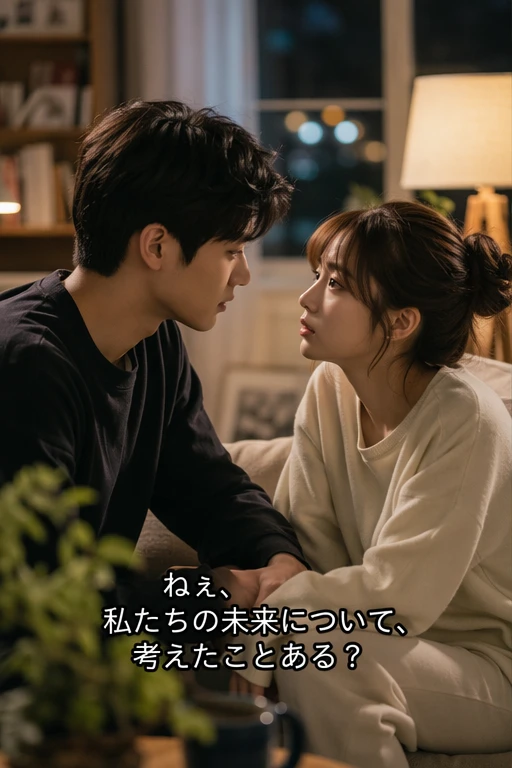
処理前Authorized subtitle removal - before
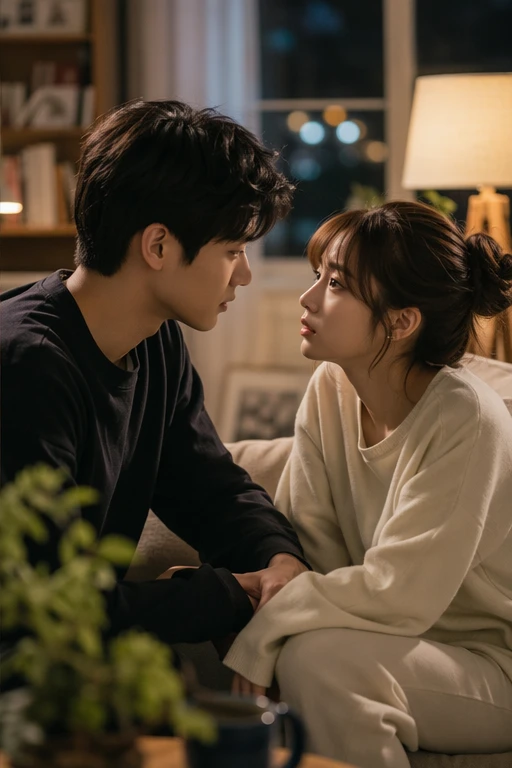
処理後Authorized subtitle removal - after
もっと自然な動画に仕上げますか?AI 処理でぼかしなし、画質低下なし。
無料で開始

When removing subtitles is perfectly legal

Subtitle removal is legitimate when you own the content, have licensing rights, or need to fix AI-generated output. It is not intended for stripping subtitles from copyrighted material you do not have rights to.

  • Your own contentVideos you created yourself, where you control all editing and distribution rights.
  • Translation and localizationRemoving original-language subtitles to replace them with target-language versions for authorized distribution.
  • AI-generated video fixesCleaning garbled or corrupted text rendered by AI video generators like Seedance, Kling, or Happy Horse.
  • Educational and research useRemoving subtitles for academic analysis, accessibility research, or archival purposes with proper authorization.

主要な動画形式とデバイスに対応

スマホやPCのブラウザから、MP4、MOV、WebM などの形式をアップロードできます。

  • Video formats: MP4, MOV, AVI, MKV, WebM — all common container types supported.
  • Hardcoded subtitles in English, Chinese, Arabic, Spanish, and all major languages.
  • Garbled or corrupted text from AI video generators (Seedance, Kling, Happy Horse) can be erased the same way.
  • Resolution limits: best results under 4K. Higher resolutions require more processing time.

複数プラットフォームでの再利用に

自分のショート動画、広告素材、チュートリアル、許可済み素材をきれいに整えられます。

  • Short drama translation: Chinese short dramas with burned-in subtitles → AI erases the original text → clean video → add target-language subtitles (English, Spanish, Arabic). Batch-process entire series efficiently.
  • AI video subtitle repair: Seedance 2.0, Kling, Happy Horse, and similar tools sometimes produce garbled, misaligned, or corrupted text overlays. AI inpainting cleans the damaged area so you can re-add correct subtitles.
  • Multi-platform content reuse: Remove region-specific subtitles to create a clean master, then add localized subtitles for TikTok, Instagram Reels, YouTube Shorts, or ad campaigns.
  • Training and educational content: Update outdated subtitle content in corporate training videos, online courses, or instructional media without re-recording.

編集権限のある動画だけを処理

所有、ライセンス、または明確な許可のある動画だけに使用してください。

  • Videos you created yourself — you hold all editing and distribution rights.
  • Licensed or authorized content — where the license permits derivative edits and subtitle changes.
  • AI-generated content you prompted — fixing garbled output from your own AI video generations.
  • Educational, research, or archival purposes — with proper attribution and authorization. Never use this to redistribute copyrighted content without permission.

AI 処理が自然に見える理由

AI は周囲の映像から隠れた部分を補完し、ぼかしや貼り付けのような違和感を抑えます。

  • AI inpainting: removes subtitle text and reconstructs the original background with matching detail and texture.
  • Cropping: sacrifices the bottom portion of the frame, cutting off lower-body composition, on-screen text, or visual elements.
  • Blurring: leaves a visible smudge or mosaic where the subtitle was — immediately noticeable and unprofessional.
  • Batch processing: queue multiple videos at once for subtitle removal — no manual frame-by-frame editing required.
信頼性

権利のある動画編集のために設計

UnmarkAI は、自分が所有する、ライセンスを持つ、または編集許可のある動画を扱うクリエイターやチーム向けのサービスです。

権利に配慮したワークフローダウンロード前に確認安全な処理明確な利用ポリシー

よくある質問

安全で高品質な動画クリーンアップに関する実用的な回答です。

どんな動画に向いていますか?

自分の動画、ライセンス済み素材、ブランド素材、社内資料など、編集権限のある動画に向いています。

Can I remove subtitles without cropping the video?

Yes. UnmarkAI uses AI inpainting to erase subtitle text and reconstruct the background behind it. The full video frame stays intact at original resolution — no cropping needed.

Does it work on burned-in (hardcoded) subtitles?

Yes. Hardcoded subtitles are rendered directly into the video pixels. AI inpainting detects the text, removes it frame by frame, and fills in the area with matching background detail.

What is the difference between hardcoded and soft subtitles?

Soft subtitles (SRT, VTT, ASS) are a separate text track that can be toggled on or off in your media player — no removal needed. Hardcoded (burned-in) subtitles are rendered into the video pixels and cannot be turned off; they require AI inpainting to erase.

動画をきれいに整えますか?

不要な透かしや文字を減らし、投稿や納品に使いやすい動画へ。

今すぐ無料で始める

登録で 10 クレジット付与 · クレジットカード不要