
01
Sube el original que puedes editar
Elige un MP4, MOV o WebM autorizado y conserva una copia sin cambios.
Marca el objetivo en un fotograma claro. Déjalo con máscara fija o activa el seguimiento y revisa el clip completo antes de exportar.
Subir video
Arrastra tu clip aquí o haz clic para subirlo
MP4, MOV, WebM · 10 puntos incluidos al registrarte
Procesa solo material propio o con permiso de edición
Un fragmento breve permite detectar fallos antes de procesar más material.
Elige un MP4, MOV o WebM autorizado y conserva una copia sin cambios.
Usa pincel, rectángulo o lazo. No incluyas caras, texto ni bordes que deban mantenerse.
Deja la máscara fija si el objetivo no se mueve o activa el seguimiento. Recorre todo el tramo antes de descargar.
Las parejas muestran dónde se marcó el objetivo y cómo quedó un fotograma reparado. No son una prueba de movimiento ni garantizan el mismo resultado en todos los clips.
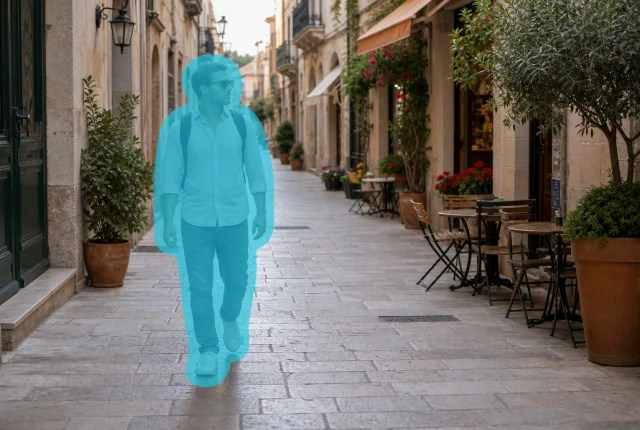 Marcado
 Reparado
Empieza cuando la silueta se vea completa. Si cruza el plano, activa el seguimiento y comprueba dónde entra y sale.
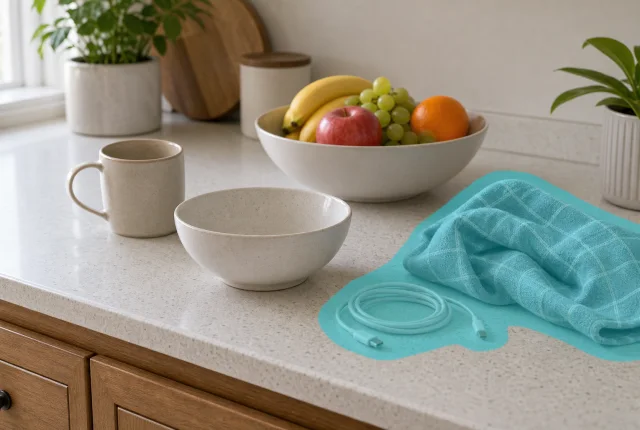 Marcado
 Reparado
Si bolsas, cables, tazas o paños permanecen quietos, no hace falta seguimiento. Marca por separado lo que no esté unido.
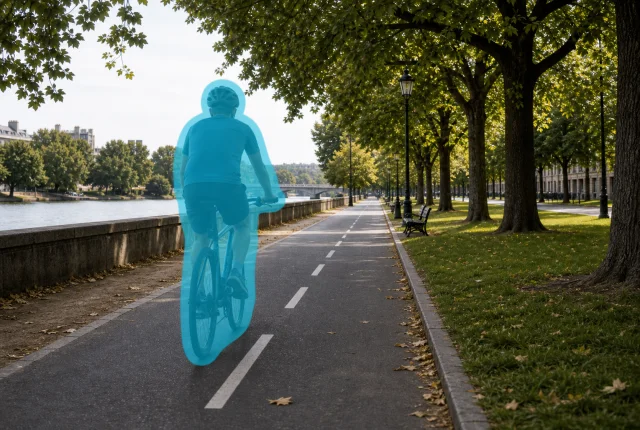 Marcado
 Reparado
Elige un fotograma donde se distingan ciclista y bici. El seguimiento acompaña la posición, pero el desenfoque se revisa a velocidad normal.
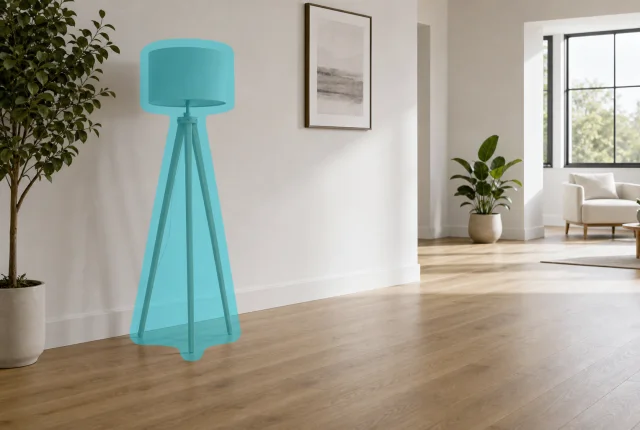 Marcado
 Reparado
Conos, contenedores y soportes suelen estar fijos. Márcalos solo cuando alrededor quede suficiente suelo, pared o patrón visible.
El fotograma que pintas sirve de referencia. Recorre el clip y elige el modo según el movimiento real del objetivo.
Deja el seguimiento desactivado para una taza, un cable o un cartel que no cambia de sitio. Amplía la máscara solo si el objetivo se sale más adelante.
Activa el seguimiento para personas, bicis, carros o vehículos. Revisa cruces, desenfoque y los fotogramas de entrada y salida.
Las panorámicas rápidas, grandes oclusiones, caras, manos y bordes finos pueden exigir otro intento o un retoque manual.
Máscara, seguimiento, archivos de origen y tomas que requieren más cuidado.
No. Para una taza, un cable o un cartel que permanece en el mismo lugar, la máscara fija suele ser más fácil de controlar. Activa el seguimiento cuando una persona, bici, carrito o vehículo se desplaza por el plano.
Cubre el contorno completo y cualquier parte unida que también deba desaparecer, sin invadir rostros, texto ni bordes cercanos. Recorre los fotogramas siguientes y amplíala solo donde el objetivo se salga.
Porque cambian la cámara, la luz y el fondo. Mira el resultado a velocidad normal y revisa cortes, desenfoque de movimiento, cruces con otros sujetos y la entrada o salida del objetivo.
Puedes subir MP4, MOV y WebM. Conviene partir del archivo menos comprimido. El encuadre se mantiene sin recortar, aunque la zona seleccionada sí se reconstruye.
Solo videos propios, licenciados o con permiso explícito para modificarlos. Deja fuera de la selección créditos obligatorios, avisos de seguridad, pruebas y marcas de propiedad, y guarda una copia intacta del original.
Sube un original que puedas editar, marca un solo objetivo y revisa la reparación durante todo el intervalo.
10 puntos al registrarte · Conserva el archivo original