
Product Video Localization Checklist for Cross-Border E-commerce
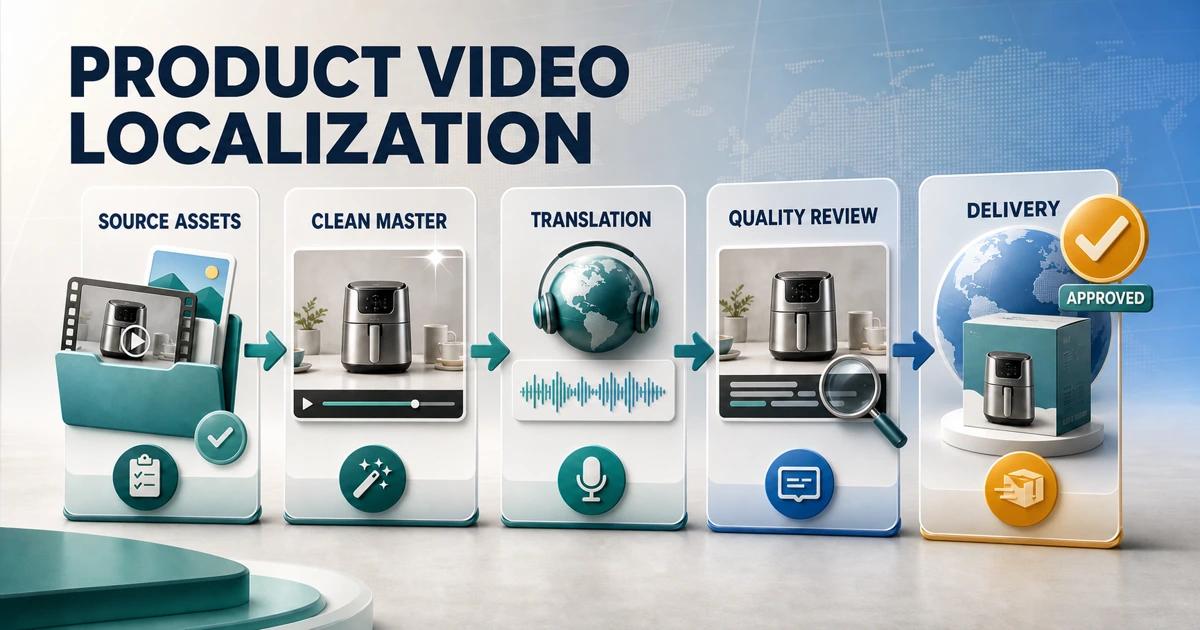
A product video localization checklist prevents small language and product errors from reaching an international storefront. A polished translation can still fail if the video shows the wrong unit, untranslated feature text, an unsupported claim, or packaging that does not match the item sold in the destination market.
Use this checklist to control the full workflow: market scope, source assets, clean-master preparation, translation, dubbing, subtitles, on-screen graphics, compliance review, visual QA, naming, and delivery. Assign an owner and status to every item rather than treating the list as a final-minute inspection.
What Does Product Video Localization Include?
Product video localization adapts every customer-facing language and market-dependent detail in a video. That can include narration, dialogue, subtitles, feature labels, measurements, interface text, packaging, calls to action, prices, claims, disclaimers, and file metadata.
Translation changes language. Localization checks whether the complete video is accurate, natural, readable, and appropriate for the product and destination. A localization-ready master keeps reusable footage separate from those market-specific layers.
Why Should Ecommerce Teams Use a Checklist?
Video crosses several teams: ecommerce, product, creative, localization, audio, legal, and marketplace operations. Each team can approve its own piece while a gap remains between them. A checklist creates one visible handoff and prevents assumptions about who reviewed a claim or file.
It also supports scale. When ten markets use the same source, teams need repeatable fields, naming rules, and acceptance criteria. Otherwise, approved translations can be paired with the wrong product variation or an old export.
Phase 1: Define Markets, Products, and Success Criteria
Confirm the destination matrix
- List every country, language, storefront, marketplace, channel, and aspect ratio.
- Map each destination to the exact SKU, ASIN, product variant, or product-page URL.
- Identify whether one language file can serve several markets or needs regional copy.
- Record the owner, reviewer, deadline, and publishing location for each version.
Define what success means
Decide whether the video must increase product understanding, explain setup, reduce returns, support a campaign, or test a new market. The objective affects translation depth, voice treatment, video length, and the amount of product detail that needs local review.
Check rights and permissions
Confirm rights for footage, music, fonts, performances, product imagery, logos, and any synthetic or cloned voice use. Document where and how long each asset can be used. A source video approved for one country or paid channel may not be licensed worldwide.
Phase 2: Collect and Audit the Source Package
Gather the best available files
- Original editing project and linked media, if available.
- Highest-quality authorized clean or final video export.
- Separate narration, music, and effects tracks.
- Source script, transcript, subtitle files, and graphic copy.
- Brand fonts, style guide, pronunciation notes, and product glossary.
- Current product specifications, claims, disclaimers, and market listings.
Build a timed content inventory
Record every spoken line and visible string with start time, end time, screen position, content type, and approver. Include small labels, mobile UI, end cards, packaging, units, and legal lines. Mark whether each item stays universal, needs translation, needs adaptation, or requires product review.
Separate overlays from photographed details
Marketing graphics and subtitles are usually editable or removable layers in the original project. Text printed on a physical package, device, garment, or interface is part of the filmed subject. It may require a localized product shot, tracked retouching, a new screen recording, or explicit approval to remain.
Phase 3: Create a Localization-Ready Visual Master
Remove market-specific layers
Disable source-language graphics in the original project whenever possible. If only the authorized MP4 exists, clean embedded overlays shot by shot. Avoid broad blur, crop, or opaque patches when they damage the product presentation or leave the original wording visible.
Inspect restored frames in motion
Check product edges, hands, hair, reflections, shadows, fine textures, camera motion, and scene changes. Compare the clean result with the source. Reject any restoration that changes the product’s shape, color, included parts, or demonstrated function.
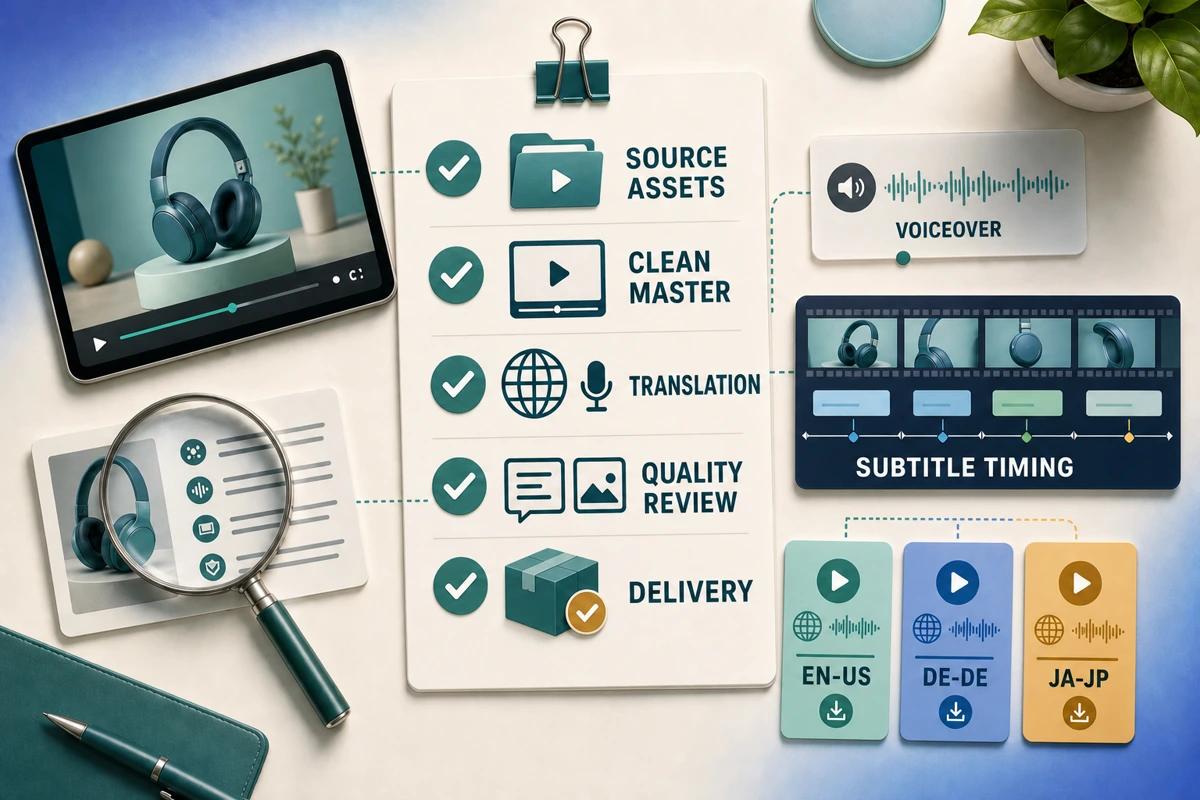
Approve and archive the clean master
The clean master should contain the reusable footage and intentionally universal brand elements, without obsolete market text or burned-in subtitles. Give it its own version number and approval record. Do not overwrite it with the first localized export.
Phase 4: Translate and Adapt the Message
Prepare the translator brief
Include the video, timed inventory, destination product page, glossary, tone, audience, character limits, pronunciation, and claim restrictions. Explain what the viewer is seeing during each line. Context prevents a correct dictionary translation from describing the wrong product action.
Approve terminology before production
Review product names, feature terms, materials, ingredients, sizes, units, compatibility, and calls to action. Resolve disputed terms before voice recording or typesetting. Late terminology changes can require new audio, captions, graphics, and QA.
Adapt rather than translate blindly
Localize units, date formats, examples, cultural references, and concise calls to action when the market requires it. Do not introduce discounts, guarantees, health claims, environmental claims, or performance promises that are absent from approved product data.
Phase 5: Produce Dubbing, Subtitles, and Graphics
Dubbing checklist
- Choose an appropriately licensed voice with the right language, accent, age range, and brand tone.
- Confirm consent and permitted use for any voice cloning.
- Review names, numbers, abbreviations, and technical pronunciation.
- Adapt phrasing to available timing without removing essential meaning.
- Mix speech clearly with music and effects on phone speakers as well as headphones.
Subtitle checklist
- Create captions from the approved target-language script.
- Segment by meaning and reading rhythm rather than source-language word order.
- Keep line length, display time, punctuation, and speaker changes readable.
- Keep captions away from product details, calls to action, and player controls.
- Deliver separate caption files when supported and burned-in versions only when needed.
On-screen graphics checklist
- Rebuild translated labels as editable layers over the clean master.
- Use fonts with complete character coverage and appropriate reading direction.
- Allow for language expansion instead of forcing the source layout.
- Validate unit conversions, product claims, and disclaimer size.
- Check safe areas for every aspect ratio and destination interface.
Phase 6: Run Market and Compliance Review
Product accuracy review
Compare the localized video with the exact product sold in the destination. Check variation, dimensions, power standard, accessories, package contents, instructions, warranty, availability, and demonstrated features. The video must not promise a configuration the customer will not receive.
Linguistic review
A qualified target-language reviewer should watch the final video at normal speed. Check meaning, fluency, tone, pronunciation, spelling, subtitle timing, line breaks, and consistency between voice, captions, and graphics.
Legal and platform review
Verify required disclosures, regulated statements, rights, comparative claims, promotions, and platform-specific creative policies. Use current official documentation for the destination because video limits and review rules can change.
Phase 7: Complete Technical and Visual QA
Review the complete export
Watch from start to finish with sound on and off. Check frame size, frame rate, duration, codec, audio channels, loudness, subtitle rendering, graphic sharpness, transitions, and the first and last frame. Look for leftover source-language fragments after cuts and scene changes.
Test real placements
Preview product pages, marketplaces, social placements, and ad templates on desktop and mobile. Player controls, auto-cropping, thumbnails, and muted autoplay can change what customers see. A file that looks correct in the editing application may fail inside the final interface.
Verify accessibility
Ensure essential spoken information is available in accurate captions and important visual meaning is not communicated by color alone. Keep text contrast and size readable. When the product requires detailed instruction, consider an accessible transcript or separate support content.
Phase 8: Name, Deliver, and Track Every Version
Use a predictable file name
Include product identifier, market, language, placement or ratio, version, and date. For example, a controlled naming structure distinguishes French for Canada from French for France and prevents an old approval from being uploaded to the wrong listing.
Deliver a complete market package
Include the final video, thumbnail, caption file, approved script, clean master reference, review status, and destination instructions. State whether the asset is for a product page, marketplace listing, Store, social placement, or paid advertisement.
Maintain a version ledger
Track source version, translation version, master version, market export, approvers, upload location, and replacement date. When a claim or product detail changes, the ledger shows which videos need revision.
How Does UnmarkAI Fit Into the Checklist?
Use UnmarkAI during clean-master preparation when authorized finished footage contains hardcoded subtitles or on-screen text and editable source layers are missing. Review the restored output before translation so later market versions start from a subtitle-safe frame rather than a patch over the source language.
Continue through the full product video translation workflow for narration, captions, graphics, and market delivery. Use AI video translation for speech and dubbing, remove text from video for embedded labels and calls to action, and remove burned-in subtitles for caption cleanup. If the source contains several element types, first choose among the available AI video cleanup workflows.
Minimum Approval Gate Before Publishing
A localized ecommerce video is ready only when the destination product is correct, every spoken and visible language element has an owner, the final export has passed native linguistic review, market claims are approved, and the actual placement has been tested.
If any one of those checks is missing, keep the file in review. A scheduled campaign is not a reason to publish a video that can misdescribe the product or confuse customers.
Compliance Note
Only translate, clean, or modify videos that you own, license, or have permission to edit. Obtain appropriate rights for footage, music, fonts, voices, and brand assets. Validate product labels, claims, instructions, pricing, warranties, disclosures, and platform policies for every target market.
FAQ
What is the difference between translation and video localization?
Translation changes language. Video localization adapts the full customer experience, including speech, captions, graphics, units, claims, timing, layout, product facts, and delivery requirements for a particular market.
Do I need a clean master for every product video?
A clean master is strongly useful when the video will serve several languages or contains source-language overlays. If the original project already keeps footage and language in separate editable layers, that project can produce the clean master directly.
Who should approve a localized product video?
At minimum, use a target-language reviewer, a product owner, and the person responsible for the destination platform. Add legal or regulatory review when the video includes controlled claims, disclosures, instructions, pricing, or sensitive product categories.
Can machine translation handle the entire checklist?
Automation can accelerate transcription, first-pass translation, speech generation, and timing. It cannot take responsibility for product accuracy, rights, local claims, or final customer impact. Human review remains part of a reliable workflow.
How many internal versions should a team keep?
Keep the approved source, clean master, editable localization project, target-language scripts, caption files, audio masters, and final market exports. Version them consistently and record which file is live in each destination.
When should a localized video be updated?
Review it whenever product specifications, packaging, offers, claims, marketplace rules, brand language, or the source master changes. Also set a periodic review for evergreen assets in fast-changing categories.
Turn the Checklist Into a Repeatable Workflow
Assign every line to a person, version, and approval state. Build one trustworthy clean master, then create market files from approved product data and language. A controlled checklist makes cross-border expansion faster because it reduces rework, missing layers, and wrong-market uploads.