
Free AI Subtitle Remover

Remove Subtitles from Video — Free AI Tool, No Crop Needed

Upload your video

Drag & drop a file here, or click to browse

Videos are processed securely and never shared

MP4, MOV, AVI, MKV, WebM · Up to 2GB

See the difference

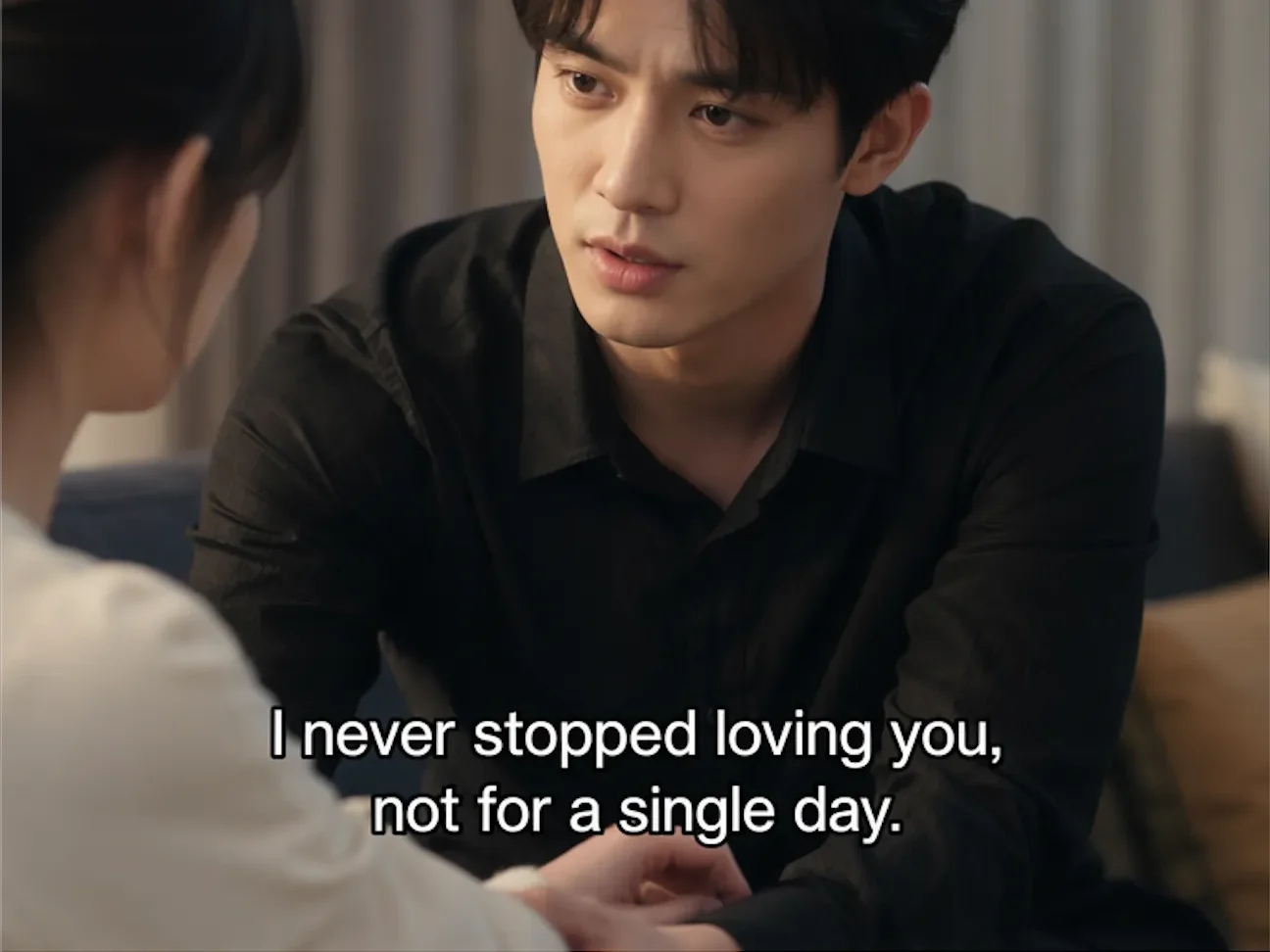
BeforeVideo with hardcoded subtitles before AI removal - UnmarkAI
AfterVideo after AI subtitle removal, clean background restored - UnmarkAI

Remove hardcoded, burned-in subtitles from videos you own or are authorized to edit. AI detects the text overlay in every frame, erases it, and reconstructs the original background — no cropping, no blur, no quality loss.

UnmarkAI uses AI inpainting to remove burned-in subtitles that are permanently rendered into the video frame. Unlike soft subtitles (SRT/VTT), hardcoded text cannot be toggled off — it must be erased and the background restored.

What is hardcoded subtitle removal?

Hardcoded subtitle removal means erasing subtitle text that has been burned into the video pixels and reconstructing the background behind it. It is different from disabling an SRT, VTT, or ASS subtitle track. UnmarkAI is built for owned, licensed, or authorized videos where subtitles need to be cleaned without cropping the frame or covering the lower third with blur.
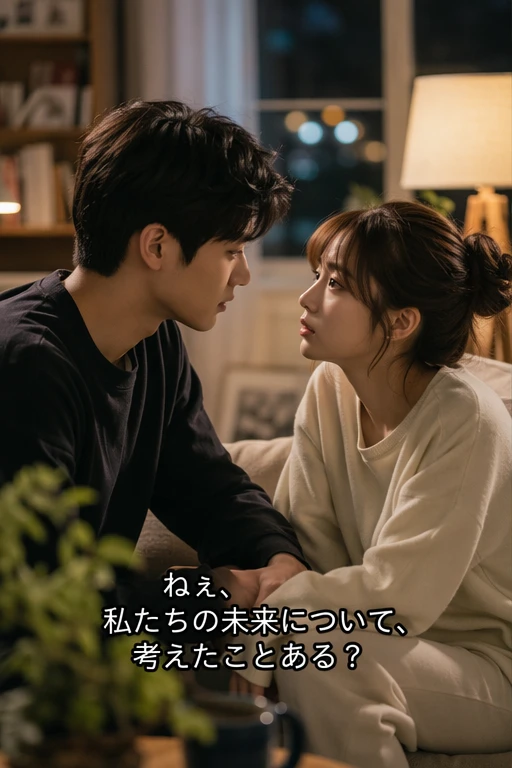

Can AI remove subtitles for translation without cropping?

Yes. For authorized translation and localization workflows, AI can remove the source-language burned-in subtitle area and rebuild the hidden background so you can add fresh subtitles in another language. This keeps the full frame available for short dramas, courses, social clips, ads, and AI-generated videos that you are allowed to edit.

Hardcoded vs soft subtitles — know which you have

Not all subtitles are the same. The removal method depends entirely on how the subtitles were added to the video. Soft subtitles are a separate track that can be toggled on or off in any media player. Hardcoded (burned-in) subtitles are rendered directly into the video pixels — they cannot be turned off and must be physically erased from each frame.

Soft Subtitle Tracks

SRT, VTT, and ASS subtitles are separate tracks that can usually be turned off without AI cleanup.

Hardcoded Subtitles

Burned-in text is fused into the video pixels and stays visible in every player and every export.

AI-Generated Embedded Text

Seedance, Kling, Happy Horse, and similar tools can render broken or unwanted text directly into the frame.

Quick Identification

If text remains visible after all subtitle tracks are disabled, it needs AI inpainting rather than a player setting.

Step-by-step: how to remove hardcoded subtitles from video online

Keep the workflow simple: upload, guide the cleanup area, preview the result, then download the cleaned export.

01

Upload your video

Upload a video with hardcoded or burned-in subtitles. Supported formats include MP4, MOV, AVI, MKV, and WebM. Use the highest-quality source file for the cleanest result.

02

Select the subtitle region

Draw a box around the area where subtitles appear. The AI identifies text boundaries within that region and maps the subtitle area across every frame in the clip.

03

AI removes and restores

AI inpainting erases the subtitle text and reconstructs the original background behind it. Preview the result side-by-side, then download the clean export.

Hardcoded subtitle removal results

See how AI inpainting removes burned-in subtitles without cropping the frame or leaving blur artifacts. The original background is reconstructed pixel by pixel.

  • Background restoredAI reconstructs the scene behind the subtitle text, filling in the area with matching detail.
  • No crop or quality lossThe full video frame stays intact at original resolution — nothing is cut away.
  • Works on any subtitle styleHandles white text, colored captions, outlined fonts, and multi-line overlays.
  • Frame-by-frame precisionEvery frame is processed individually so moving backgrounds and scene transitions stay clean.
BeforeBurned-in subtitle removal - before
AfterBurned-in subtitle removal - after
Ready for a cleaner clip?AI-powered, no blur, no quality drop.
Start free
BeforeAuthorized subtitle removal - before
AfterAuthorized subtitle removal - after
Ready for a cleaner clip?AI-powered, no blur, no quality drop.
Start free

When removing subtitles is perfectly legal

Subtitle removal is legitimate when you own the content, have licensing rights, or need to fix AI-generated output. It is not intended for stripping subtitles from copyrighted material you do not have rights to.

  • Your own contentVideos you created yourself, where you control all editing and distribution rights.
  • Translation and localizationRemoving original-language subtitles to replace them with target-language versions for authorized distribution.
  • AI-generated video fixesCleaning garbled or corrupted text rendered by AI video generators like Seedance, Kling, or Happy Horse.
  • Educational and research useRemoving subtitles for academic analysis, accessibility research, or archival purposes with proper authorization.

Supported video formats and subtitle types

UnmarkAI processes all major video formats and can remove hardcoded subtitles in any language or style. Upload the highest-quality source file available — higher bitrate gives the AI more detail to reconstruct the background behind the text.

Common Containers

MP4, MOV, AVI, MKV, and WebM uploads are supported for subtitle cleanup in the browser.

Many Languages

Remove hardcoded subtitles in English, Chinese, Arabic, Spanish, Portuguese, Japanese, and more.

AI Text Repair

Garbled or corrupted generated text can be erased the same way as burned-in subtitle lines.

HD and 4K Sources

High-resolution files are supported; cleaner source footage gives AI more detail for reconstruction.

Who needs to remove subtitles — real-world use cases

Subtitle removal is most valuable for creators and teams working across languages, platforms, and AI-generated content. These are the three most common scenarios where removing hardcoded subtitles solves a real production problem.

Short Drama Translation

Erase source-language burned-in subtitles from authorized episodes before adding new localized subtitles.

AI Video Subtitle Repair

Clean garbled, misaligned, or corrupted generated text before adding corrected subtitles.

Cross-Platform Reuse

Create a clean master for TikTok, Reels, Shorts, ads, and localized social edits.

Training and Course Updates

Replace outdated subtitles in corporate training, online courses, and instructional media without re-recording.

When removing subtitles is perfectly legal

Removing subtitles is legal when you own the content, have licensing rights, or are correcting AI-generated output. Do not use this tool to strip subtitles from copyrighted material without the owner's permission.

Videos You Created

Use subtitle removal on your own footage when you control editing and distribution rights.

Licensed or Authorized Content

Process partner, stock, or client assets only when the license permits subtitle changes.

Your AI Generations

Fix garbled or unwanted text in AI videos you generated and are allowed to edit.

Research and Archives

Educational or archival cleanup still requires proper authorization and attribution.

Why AI subtitle removal beats cropping and blurring

Cropping cuts away the bottom of the frame where subtitles typically sit, losing important visual content. Blurring leaves an obvious distorted patch that looks unprofessional. AI inpainting removes the text and intelligently fills in the background so the result looks like the subtitle was never there.

Background Reconstruction

AI removes subtitle pixels and rebuilds texture, color, and motion context behind the text.

No Lower-Frame Crop

Keep hands, products, faces, UI, and composition that would be lost by cutting off the subtitle band.

No Blur Patch

Avoid the visible smudge or mosaic left by simple blur tools in the subtitle area.

Batch-Friendly Cleanup

Queue repeated subtitle positions across episodes, lessons, or campaign variants without frame-by-frame cloning.

Trust

Built for authorized video cleanup

UnmarkAI is designed for creators and teams working with content they own, license, or have permission to edit. The product copy, terms, and upload flow all reinforce that boundary.

Rights-aware workflow

Designed to help you clean videos you own, license, or are explicitly authorized to edit.

Preview before download

Check the AI reconstruction frame-by-frame before exporting the final clean video.

Secure processing

Your uploads and exports are processed securely and never shared with third parties.

Clear acceptable use policy

Strict guidelines against removing attributions from unauthorized third-party content.

Frequently asked questions

Practical answers for safe, high-quality cleanup workflows.

Can I remove subtitles without cropping the video?

Yes. UnmarkAI uses AI inpainting to erase subtitle text and reconstruct the background behind it. The full video frame stays intact at original resolution — no cropping needed.

Does it work on burned-in (hardcoded) subtitles?

Yes. Hardcoded subtitles are rendered directly into the video pixels. AI inpainting detects the text, removes it frame by frame, and fills in the area with matching background detail.

What is the difference between hardcoded and soft subtitles?

Soft subtitles (SRT, VTT, ASS) are a separate text track that can be toggled on or off in your media player — no removal needed. Hardcoded (burned-in) subtitles are rendered into the video pixels and cannot be turned off; they require AI inpainting to erase.

Can I use this to remove subtitles for video translation (e.g., short dramas)?

Yes. For short drama translation workflows, first use UnmarkAI to erase the burned-in source-language subtitles, producing a clean video. Then add target-language subtitles using your preferred subtitling tool. This supports batch processing for multi-episode series.

My AI-generated video has garbled subtitles. Can this fix it?

Yes. AI video generators like Seedance 2.0, Kling, and Happy Horse sometimes produce garbled, misaligned, or corrupted text overlays. UnmarkAI's AI inpainting can erase the damaged text and restore the background so you can add correct subtitles.

Ready to clean your videos?

Join thousands of creators who use UnmarkAI to deliver distraction-free content.

Start for Free Now

Get 10 credits on sign up · No credit card required