
Amazon Listing Video Translation: Reach International Marketplaces
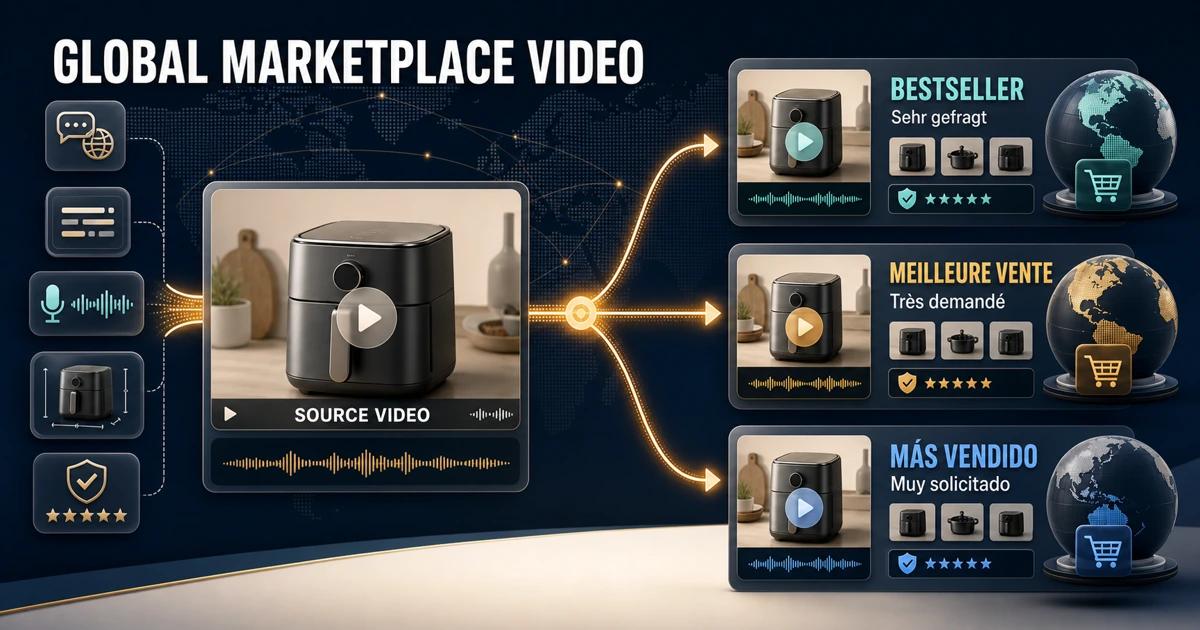
Amazon listing video translation helps sellers turn one product demonstration into a useful asset for international marketplaces. The job includes more than translating narration: shoppers may also see embedded feature labels, measurements, captions, packaging, calls to action, and claims that were created for the source country.
A reliable localization workflow creates a market-ready version rather than simply adding subtitles over the original. The seller audits every language element, prepares a clean master, translates the approved message, checks marketplace requirements, and uploads the correct file with the correct language metadata.
What Is Amazon Listing Video Translation?
Amazon listing video translation is the process of adapting a product video’s speech, subtitles, visible text, units, claims, and metadata for a target Amazon store. The finished version should make sense to local shoppers and remain accurate for the ASIN sold in that marketplace.
Amazon may display shoppable videos in several shopping locations and can share eligible videos across global stores. That reach makes a language audit important: a video created for one store can reach customers elsewhere even when its message has not been localized.
Why Can One Amazon Video Fail in Another Marketplace?
The marketplace language may be different
Amazon Store creative policies generally expect content to use the primary language of the site where it appears. A source-language voiceover with untranslated graphics can confuse customers and may not be suitable for a local campaign or Store experience.
Product information is market specific
Dimensions, voltage, plugs, included accessories, warranties, certifications, prices, and availability can vary. Reusing a translated claim without checking the local ASIN can create a mismatch between the video and the product detail page.
Text is often embedded in the picture
Feature callouts and promotional graphics are frequently burned into the final MP4. Even an excellent translated audio track cannot replace them. A mixed-language frame weakens trust and may leave customers unsure which details apply.
Amazon surfaces have different requirements
Shoppable product videos, A+ Content, Stores, and Amazon Ads do not necessarily share the same limits or review rules. Identify the exact placement before editing. Use the current policy page for that surface rather than assuming that one approved file is valid everywhere.
Step-by-Step Amazon Product Video Localization Workflow
Step 1: Map the destination marketplaces and ASINs
Create a delivery matrix containing country store, language, ASIN, product variation, placement, aspect ratio, owner, and deadline. Confirm that the product shown is actually sold in the target store and that its configuration matches the local listing.
Step 2: Check the current Amazon requirements
Amazon's official shoppable video guide documents upload fields such as ASIN, video type, brand association, language, and thumbnail, along with current file specifications. The guide also notes that submitted videos are reviewed. Recheck it at delivery because product features and limits can change.
For Store or advertising creative, consult the relevant Amazon creative acceptance policies. Do not treat a product-detail video approval as blanket approval for every advertising placement.
Step 3: Audit speech and every visible word
Create a timed inventory of narration, dialogue, subtitles, benefit statements, measurements, package text, interface labels, disclaimers, and calls to action. Capture the source wording and screen location. Assign an owner who can approve each product fact.
Step 4: Compare the video with the local listing
Check title, bullets, variation, product specifications, package contents, and approved claims for the destination ASIN. Flag any difference before translation. The localized video should support the listing rather than introduce a competing product description.
Step 5: Prepare a clean visual master
If editable project files are available, disable the market-specific text and subtitle layers. If only an authorized final export exists, remove the embedded overlays shot by shot and inspect the restored background. Preserve real product labels and identifiers unless the product owner approves a different treatment.
Step 6: Translate with product context
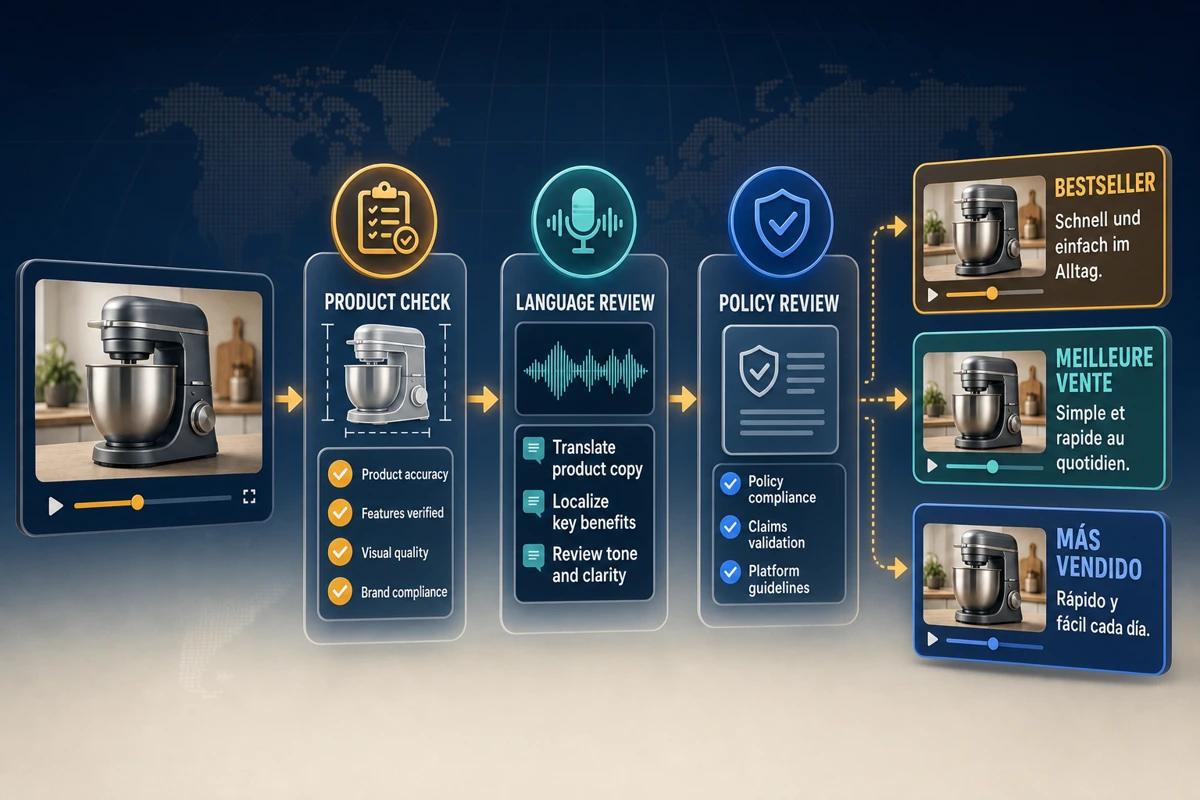
Provide the translator with the video, ASIN, destination listing, product glossary, pronunciation notes, character limits, and policy constraints. Translate for clarity and shopping intent. Avoid unsupported superlatives, invented guarantees, or time-sensitive promotional wording.
Step 7: Select dubbing, subtitles, or a combined version
Dubbing is useful when narration explains setup, fit, or operation and the seller wants a local listening experience. Subtitles support silent viewing and can be updated quickly. A combined version often works well, but captions must remain concise and should not obscure the product or conflict with embedded graphic text.
Step 8: Localize graphics and measurements
Rebuild feature labels, steps, units, and disclaimers as editable layers over the clean master. Validate conversions rather than calculating them casually during design. Keep text large enough for mobile viewing and allow the translated line to remain on screen long enough to read.
Step 9: Review the full video with a native market reviewer
Run three separate checks: linguistic accuracy, product accuracy, and visual quality. Listen for pronunciation and timing, compare every claim to the local listing, and inspect the video at normal playback speed. Confirm that restored footage does not alter the product’s appearance.
Step 10: Upload with accurate language and ASIN metadata
In Seller Central, select the appropriate tool and complete the required title, ASIN, video type, brand association, language, and thumbnail fields. Submit the correct market file, then monitor its status. After approval, verify the actual detail page because placement and availability can vary.
What Should Sellers Know About Global Video Sharing?
Amazon has announced that eligible shoppable videos uploaded in one store may appear on shared global listings. The official global sharing update tells sellers to use the video library to see where a video is displayed and notes that availability can vary during testing.
The operational lesson is simple: do not assume a source-market upload will remain isolated. Review the stores where it appears. If the language or product information is not suitable, prepare local files and use the available controls and support paths for the relevant marketplace.
How Does UnmarkAI Support Amazon Localization?
Use UnmarkAI when approved marketplace footage contains burned-in subtitles, benefit statements, or source-language calls to action and the original project is unavailable. It helps create a reviewed clean visual master before local speech and graphics are added.
That cleanup step supports Amazon product video localization by separating footage from language. Continue with the video translation and dubbing workflow for speech. Use the hardcoded subtitle cleanup guide when captions are baked into the frame, or the on-screen text removal workflow for labels and promotional copy. For mixed assets, compare the broader AI video cleanup workflows.
Localized Version vs. One Universal Video
One universal, language-light video
A visual demonstration with no narration and minimal universal graphics can work across several marketplaces. It reduces version management, but it may not explain complex benefits or setup steps. Product labels and real packaging can still create a language dependency.
Subtitled market versions
Subtitles are efficient when the source voice is acceptable and local policy permits it. They are easier to revise than a full dub, but customers still hear a foreign language and embedded source graphics must be handled separately.
Fully localized market versions
A local voice track, captions, graphics, units, and claims deliver the most coherent experience. This method requires stronger version control and review, but it is usually the safest choice for explanation-heavy products and markets with material product differences.
Amazon Listing Video QA Checklist
- The video shows the correct ASIN, variation, accessories, and package contents.
- Spoken and visible language is suitable for the target Amazon store.
- Measurements, voltage, compatibility, warranty, and claims match the local listing.
- Captions are timed, readable, and clear of important product details.
- The file, thumbnail, duration, and metadata meet the current requirements for the chosen surface.
- The upload uses the correct ASINs, language, video type, and brand association.
- The published video is checked on the live detail page after review.
Compliance Note
Only localize or clean videos that you own, license, or have permission to edit. Amazon requirements vary by marketplace and placement and can change. Sellers remain responsible for applicable laws, product accuracy, intellectual-property rights, disclosures, and marketplace policies in every destination.
FAQ
Does Amazon automatically translate listing videos?
Some Amazon advertising products or programs may offer localization features, but sellers should not assume every listing video will be translated. Verify the tools available for the exact marketplace and placement, and review any automatically produced version before use.
Can the same product video appear in several Amazon stores?
Eligible shoppable videos may be shared across global listings. Check the video library and live product pages to understand where a file appears. A shared file still needs to be appropriate for the language and product sold in each store.
What language should I select during upload?
Choose the language actually used in the video version. Do not label an English narration as German simply because the video is intended for Amazon Germany. Accurate metadata helps Amazon review and place the asset correctly.
Should I translate product measurements inside the video?
Localize units when customers in the destination expect a different system, but validate every conversion against approved product data. Keep the original technical meaning and make sure the video matches the local detail page.
Can I keep the original voice and add local subtitles?
Often yes, depending on the surface and current policy. This is a practical option for demonstrations, but it may be less persuasive when narration carries the main sales message. Review embedded graphics as well as captions.
What happens if the original project files are missing?
Use the highest-quality authorized export. Remove only the market-specific overlays that must change, approve a clean master, and rebuild translated content as editable layers. Keep that master for future marketplace versions.
Prepare a Marketplace-Ready Video Master
International reach increases the value of a controlled master. Audit the source once, validate each destination ASIN, and build market versions from approved language and product data. The result is easier to review, easier to update, and less likely to surprise shoppers in another Amazon store.