
How to Translate On-Screen Text in a Finished Product Video
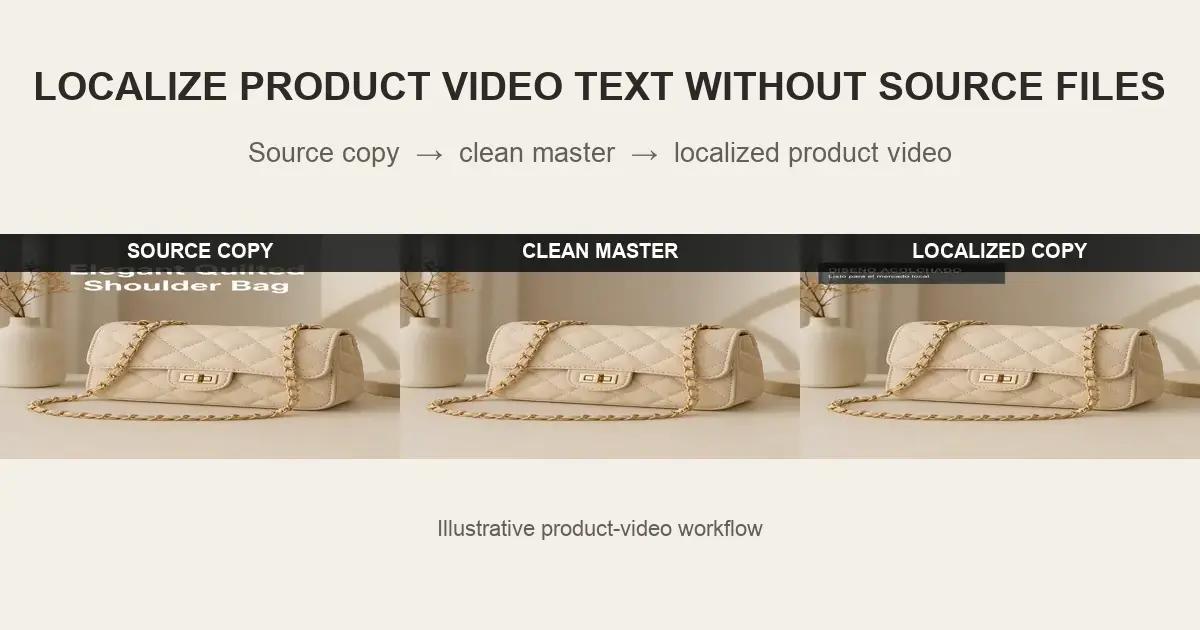
Product videos often contain more language than the voiceover or subtitles. Feature labels, measurements, ingredient callouts, offer text, button prompts, and product benefits may all be rendered directly into the picture.
When the editable project is missing, translating the audio and captions is not enough. The source-language graphics must be inventoried, cleaned from the finished video where appropriate, and rebuilt as editable local-market text.
Why Is Subtitle Translation Not Enough for Product Videos?
Subtitles communicate speech. They do not replace a headline beside the product, a specification inside a callout, or a source-language CTA at the end of an advertisement. Leaving those graphics untouched creates a mixed-language experience and can confuse shoppers.
The problem is especially common when a marketplace seller, regional team, or localization agency receives only the final MP4. The visible words are now pixels, not extractable design objects.
What Types of On-Screen Product Text Need Review?
Marketing overlays
Benefits, feature names, campaign headlines, promotional banners, and calls to action are typically separate graphics in the original edit and are strong candidates for replacement.
Specifications and measurements
Dimensions, capacity, units, compatibility, and performance figures may need translation or market conversion. The translated text must be checked against the approved product data, not inferred from the picture.
Real packaging and interface text
Words physically printed on packaging or captured inside an app interface are part of the photographed subject. They may require product retouching, a localized screen recording, or a new pack shot rather than ordinary overlay cleanup.
What Is the Clean-Master Approach?
The clean-master approach removes market-specific overlay text from the final render while preserving the product footage. The cleaned video becomes the reusable visual source for new language layouts, subtitles, voiceover, and regional CTAs.



Step-by-Step: Localize Text in a Finished Product Video
Step 1: Build a timed text inventory
Record every visible string with its start and end time, source wording, screen location, content type, and intended owner. Mark whether it is an overlay, subtitle, package label, UI element, or legal line.
Step 2: Approve the translation before layout
Product terminology, units, benefit wording, and calls to action should be approved before visual production. A translation can be linguistically correct while still using the wrong product name or an unsupported claim.
Step 3: Separate removable graphics from real product details
Clean only the text that is supposed to be replaced. Do not automatically erase serial numbers, certification marks, ingredient labels, or other information visible on the physical product.
Step 4: Process one shot at a time
Use tight selections around the overlay and review scene changes separately. Product videos commonly move from a simple hero shot to hands, demonstrations, close-ups, and lifestyle scenes, each with different restoration difficulty.
Step 5: Export and inspect the clean master
Check product edges, shadows, reflections, fine textures, and motion. Confirm that no source-language fragments remain and that cleanup has not altered the actual product.
Step 6: Typeset the localized version
Add the approved translation as a new editable layer. Allow for language expansion, use market-appropriate units, preserve safe areas, and check that text remains readable on every target aspect ratio.
Use UnmarkAI Before Product-Video Translation
UnmarkAI helps clean authorized on-screen overlays before the video enters the product-video translation workflow. Use the embedded-text cleanup tool to prepare the visual master, then continue with translation and dubbing.
For mixed jobs involving subtitles, logos, timestamps, and other elements, review the available video cleanup workflows before selecting a method.
Which Localization Method Fits the Source Asset?
Use the original project
Best when the project opens correctly and all fonts, linked media, and graphics are available. Text can be changed without reconstructing the background.
Place new text over the old text
Acceptable only when a designed opaque panel is intentional. It usually fails when the original copy crosses product imagery or when the new language is a different length.
Recreate the product shot
Appropriate when real packaging, interface content, or the product configuration has changed. It offers control but requires more production time.
Create a clean master from the MP4
Useful when the footage is still valid and only the embedded graphic layer needs replacement. It creates a reusable base instead of solving one language with another cover-up.
Localization QA Checklist
Review terminology, claims, measurements, line breaks, font support, contrast, reading time, safe areas, and continuity. Compare every localized frame against the text inventory and keep a clean master alongside the market exports.
Compliance Note
Only modify product videos that you own, license, or have permission to edit. Product data, claims, labels, measurements, and required disclosures must be validated for the target market by the appropriate reviewers.
FAQ
Can I translate text that is already embedded in a product video?
Yes. The common workflow is to transcribe the visible source copy, remove the old graphic from the authorized video, and add the approved translation as a new editable layer.
What if the source text appears on the physical package?
Treat real packaging separately. Depending on the campaign, you may need a localized pack shot, tracked product retouching, or a new recording rather than simple overlay cleanup.
How do I handle translations that are longer than English?
Plan flexible text boxes, alternate line breaks, smaller but still legible type, and additional screen time where possible. Do not force a long translation into the original English dimensions without review.
Can one clean master support several marketplaces?
Yes. A clean master can feed localized versions for marketplaces, DTC stores, social channels, and regional campaigns when the underlying product footage is valid for each destination.
Does a clean master include subtitles?
Usually it excludes market-specific subtitles and overlay copy. Teams may also keep separate versions with only approved universal graphics, depending on their delivery standard.
What source file gives the best cleanup result?
Use the highest-resolution, highest-bitrate authorized export available. Avoid downloading and re-uploading through social platforms before cleanup because additional compression removes useful detail.
Build a Localization-Ready Product Master
Clean the source-language graphics first, then use the product-video translation workflow to create reviewed market versions without rebuilding every product shot.