
How to Translate Shopify Product Videos for Global Sales
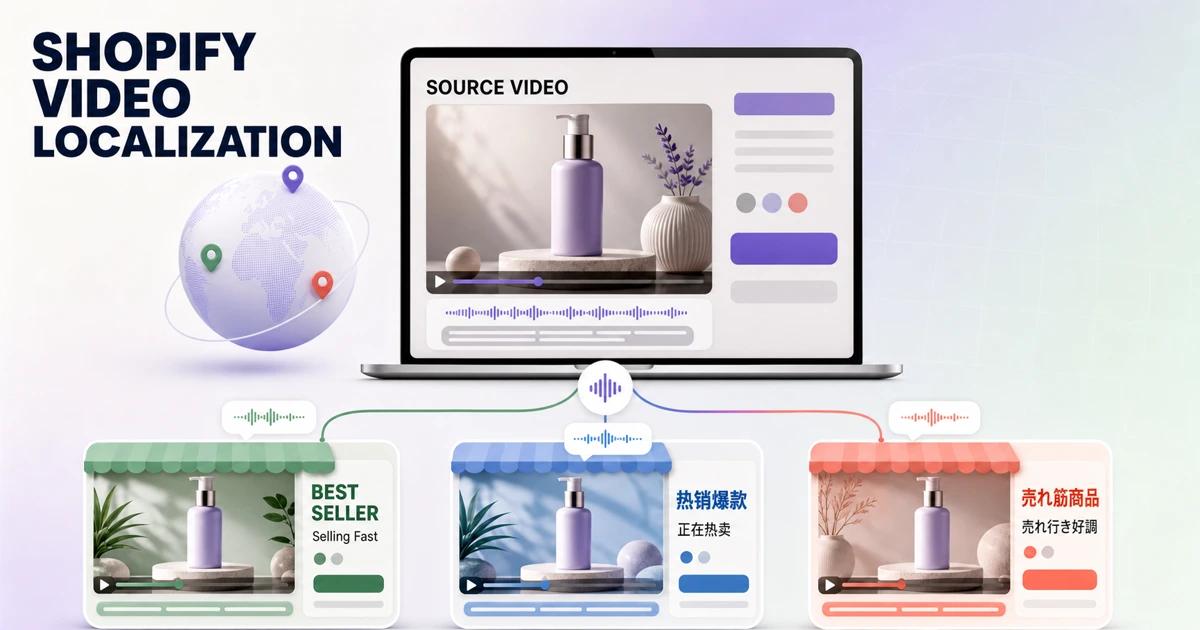
Shopify product video translation is more than changing a voice track. A product clip may also contain feature labels, measurements, offer text, captions, packaging, and calls to action that remain in the source language after the audio is translated. If those layers are missed, international shoppers see a mixed-language product page at the moment they are deciding whether to buy.
The practical solution is to create one localization-ready visual master, then produce a controlled video version for each language or market. This guide explains how to audit the original video, clean embedded text when necessary, translate speech and graphics, and connect the finished files to the right Shopify storefront experience.
What Is the Best Way to Translate a Shopify Product Video?
The best workflow is to separate universal product footage from market-specific language. Keep the product demonstration, approved lifestyle imagery, and reusable brand elements in a clean master. Add translated voiceover, subtitles, product claims, units, and calls to action as editable market layers.
This approach prevents one language from being permanently covered by another. It also gives the ecommerce team a stable source for future campaigns, new languages, and revised offers.
Why Does Shopify Product Video Localization Become Complicated?
The finished MP4 does not contain editable text
If a supplier or agency sends only the final export, every title and caption is part of the picture. Translating a transcript will not replace those pixels. The old text must be removed or reconstructed before new copy can be typeset cleanly.
Store translation and video translation are different jobs
Shopify can translate product titles, descriptions, and other storefront fields, but speech and text rendered inside a video require a localized media file. Shopify's Translate & Adapt documentation explains that merchants can assign different image or video files to different languages. The file still needs to be produced before it can be assigned.
Product facts can change by market
Sizes, units, prices, warranties, delivery promises, and regulated claims cannot always be translated word for word. A linguistically accurate line may still be commercially or legally wrong for the destination. Localization therefore needs product, marketing, and compliance review—not just machine translation.
A translated layout may need more room
German, French, Spanish, and other languages can require more characters than English. Arabic and Hebrew change reading direction. Japanese and Chinese may need different line breaks and font coverage. A design built around one short English phrase can fail even when the translation is correct.
Step-by-Step Shopify Product Video Translation Workflow
Step 1: Choose the target markets and placements
List each destination by market, language, storefront, aspect ratio, and video placement. A product-page hero video may need different pacing and safe areas from a paid social cut. Decide whether one language serves several markets or whether product claims require separate regional versions.
Step 2: Collect the highest-quality source assets
Use the original edit project and linked graphics when they exist. Otherwise, obtain the highest-resolution authorized export, separate audio if available, brand fonts, a pronunciation guide, product specifications, and the approved source script. Avoid starting from a social-media download because extra compression makes text cleanup and re-export less reliable.
Step 3: Build a timed language inventory
Record every spoken and visible string with its start time, end time, location, and content owner. Classify each item as narration, dialogue, subtitle, marketing overlay, measurement, package text, interface text, disclaimer, or universal brand element. The inventory becomes the source of truth for translation and final QA.
Step 4: Decide what stays, what changes, and what needs approval
Do not erase every word automatically. A brand name may remain universal, while a benefit statement, unit, or CTA needs localization. Text physically printed on packaging may require a new pack shot or tracked retouching rather than ordinary overlay removal. Mark uncertain content for product or legal review.
Step 5: Create a clean visual master
Remove market-specific overlays and burned-in subtitles from footage you are authorized to edit. Process one shot at a time and inspect product edges, hands, reflections, texture, and moving backgrounds. The goal is not a text-free video at any cost; it is a trustworthy master that preserves the actual product.
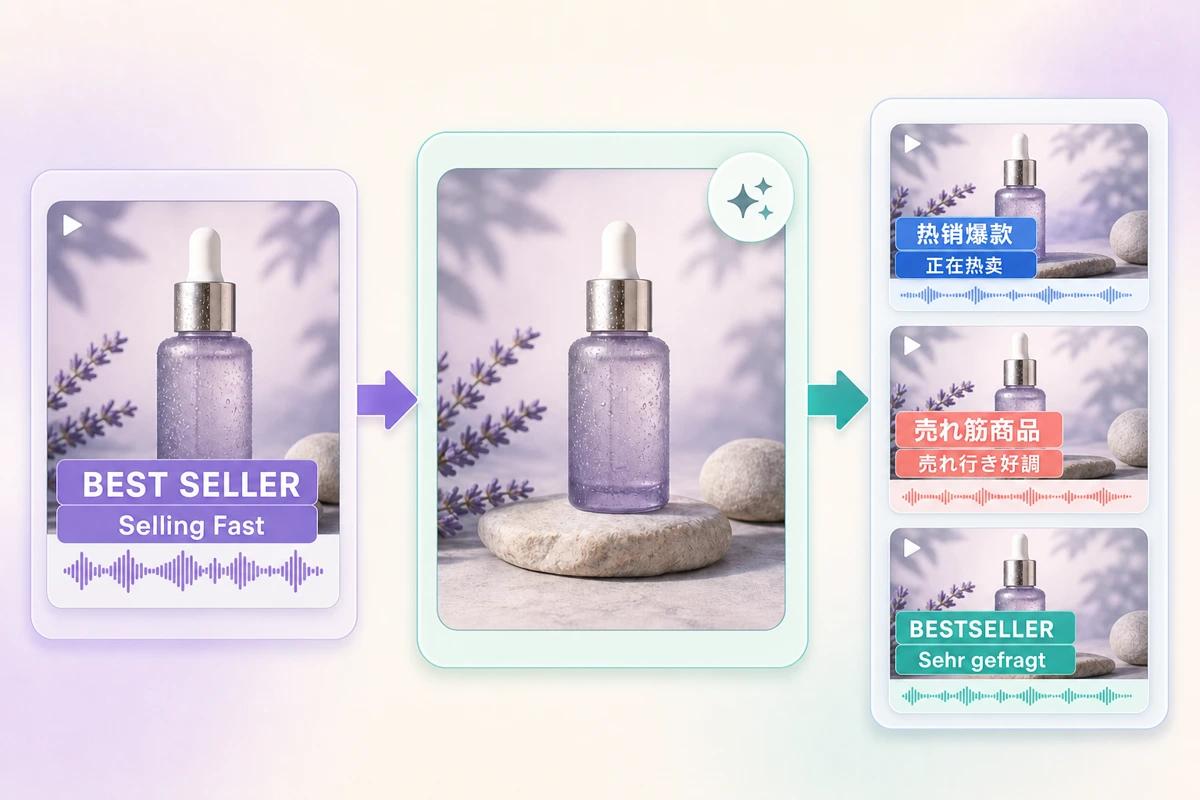
Step 6: Translate for meaning and shopping intent
Give translators the video, product page, glossary, character guidance, and timed inventory. Ask them to preserve approved product names and adapt concise calls to action for the destination. Validate numbers, units, compatibility statements, ingredients, and claims against the target-market product data.
Step 7: Choose dubbing, subtitles, or both
Dubbing creates a native listening experience and can work well for demonstrations led by narration. Subtitles are faster to update and serve viewers who watch without sound. Many Shopify videos benefit from a localized voice track plus concise captions, especially when the product needs explanation but mobile viewing may be silent.
Step 8: Rebuild on-screen graphics as editable layers
Typeset approved translations over the clean master. Use fonts with complete language coverage, allow flexible text boxes, and keep important copy away from player controls or mobile crops. Preserve the hierarchy of the original design without forcing every market into identical line lengths.
Step 9: Run linguistic, visual, and product QA
Review the complete video in motion, not only screenshots. Check pronunciation, subtitle timing, spelling, line breaks, contrast, reading time, units, claims, product color, and synchronization between speech and graphics. A native reviewer should see the same final export that customers will see.
Step 10: Upload and assign each localized file
Shopify supports uploaded product videos in common formats and lets compatible themes display product media. Confirm current limits in Shopify's product media documentation before delivery. Upload the localized files, assign the correct version to each language or market, preview on desktop and mobile, and test the storefront language switch.
How Does UnmarkAI Fit Into the Workflow?
Use UnmarkAI when the only available source is an authorized finished video with embedded captions or product copy. It helps restore the background behind those elements so the team can review a clean export before adding a new language.
That clean export is an input to Shopify product video translation, not a substitute for translation or market review. For general narration and dubbing steps, follow the AI video translation workflow. If the source contains hardcoded promotional labels, the video text removal workflow explains how to isolate and inspect them. Teams with mixed cleanup needs can first compare AI video cleanup options.
Clean Master vs. Covering the Original Text
Clean-master workflow
A clean master restores the frame before the new language is added. It takes more initial review, but it creates a reusable asset for several languages and future copy changes. It is usually the better option when text crosses product footage or moving backgrounds.
Opaque text cover
A designed panel can be acceptable when it is part of the intended visual system and fully hides the original wording. It is less suitable when the old copy sits over a product, a hand, or transparent motion. Covering one language with another can also create inconsistent layouts across markets.
Re-export from the original project
If the original project opens correctly and all media and fonts are available, disabling source-language layers is normally the cleanest path. Keep the reconstructed-master method for situations where editable source files are missing or incomplete.
Shopify Product Video Localization QA Checklist
- The assigned file matches the intended Shopify language and market.
- All visible and spoken source-language content has been reviewed.
- Product names, claims, prices, units, and disclaimers match approved local data.
- Subtitles remain readable on mobile and do not collide with controls.
- The voice track sounds natural and matches the demonstrated action.
- Restored areas preserve product edges, color, texture, and motion.
- The localized file loads correctly in the live theme on desktop and mobile.
Compliance Note
Only translate, clean, or modify videos that you own, license, or have permission to edit. Confirm that product claims, labels, prices, warranties, disclosures, and usage instructions are valid for every target market. Keep an approved source inventory and review record for each localized export.
FAQ
Can Shopify automatically translate the speech inside a product video?
Storefront translation tools handle supported store content, but a video’s recorded speech and rendered graphics require a localized media production workflow. Create the translated file first, then assign the appropriate version to the relevant language or market.
Should every Shopify market receive a separate video?
Not always. Markets can share a file when the language, product configuration, claims, units, and rights are identical. Create separate versions when any customer-facing detail differs or when regional reviewers require unique copy.
Can I replace only the subtitles?
Yes, if the narration and all other on-screen wording are already appropriate for the target audience. Audit the full frame first; product labels and calls to action are often missed because teams focus only on dialogue.
What if I do not have the original editing project?
Start from the best authorized export. Build a timed text inventory, create a clean master where overlays must be replaced, and rebuild translated graphics as editable layers. Keep the resulting clean master for future languages.
How do I handle text printed on the physical product?
Treat real packaging separately from graphic overlays. Depending on the campaign, you may need a localized pack shot, tracked retouching, or a new recording. Do not remove required labels or product identifiers without approval.
How should localized Shopify videos be named?
Use a consistent pattern containing product or SKU, market, language, aspect ratio, version, and date. For example, a structured name makes it harder to assign a French Canadian file to a French storefront by mistake.
Build One Master for Every Shopify Market
Start with a complete language inventory and a clean, approved visual base. From there, each market becomes a controlled translation and QA task instead of a new reconstruction project. Prepare the master first, then create the localized versions your Shopify storefront actually needs.