
Upload your TikTok video
Start with a video you own or have permission to edit. Upload the saved TikTok clip directly from your device — no URL pasting needed.
Remove the bouncing TikTok logo and username watermark from videos you own or are authorized to edit. AI detects and erases the watermark frame by frame, keeping the original resolution and composition intact.
UnmarkAI is an online TikTok watermark remover that uses AI inpainting — no blur, no cropping, no desktop software. Upload your video, let the AI handle detection, then preview and download the clean export.
TikTok watermarks are not a simple static logo. The watermark bounces between corners during playback and includes both the TikTok logo and the creator username. This animation means simple cropping or blur cannot fully remove it — the watermark moves.
Keep the workflow simple: upload, guide the cleanup area, preview the result, then download the cleaned export.
Start with a video you own or have permission to edit. Upload the saved TikTok clip directly from your device — no URL pasting needed.
The AI scans every frame, locates the bouncing TikTok logo and username, and reconstructs the covered pixels using the surrounding background. No manual selection required.
Compare the cleaned clip against the original, check edges and motion areas, then download the watermark-free export in your original resolution.
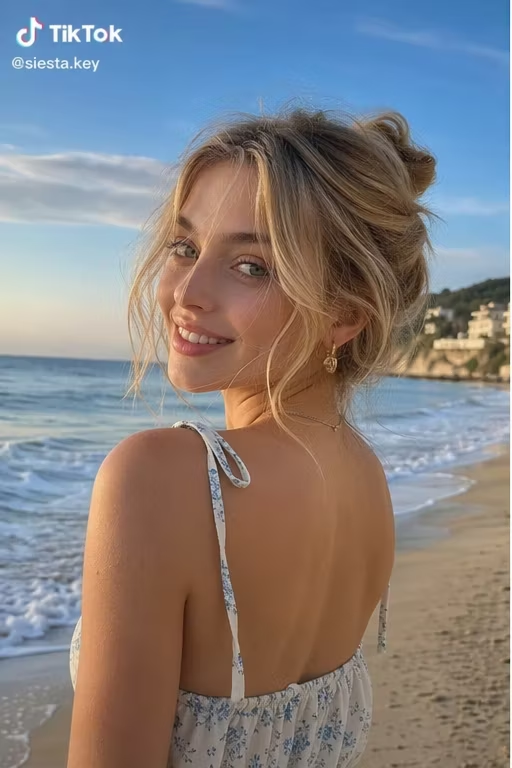
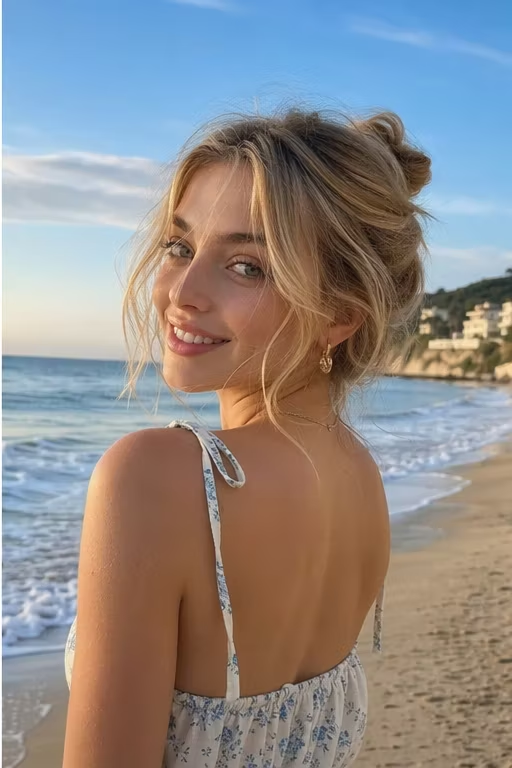
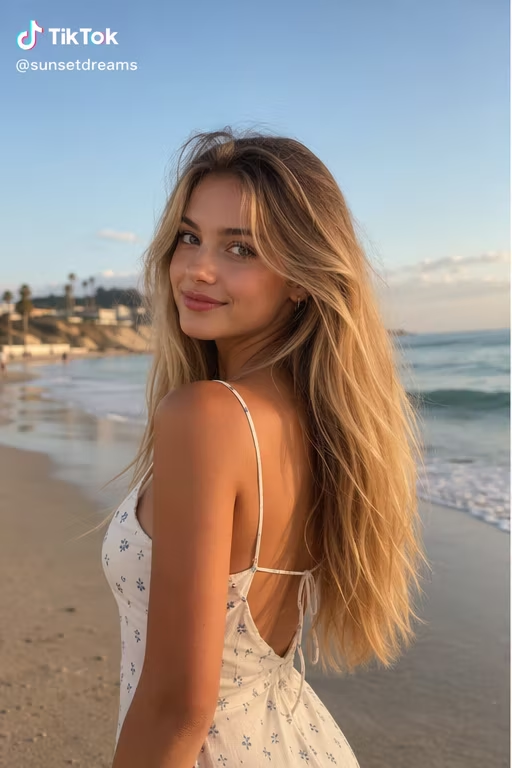
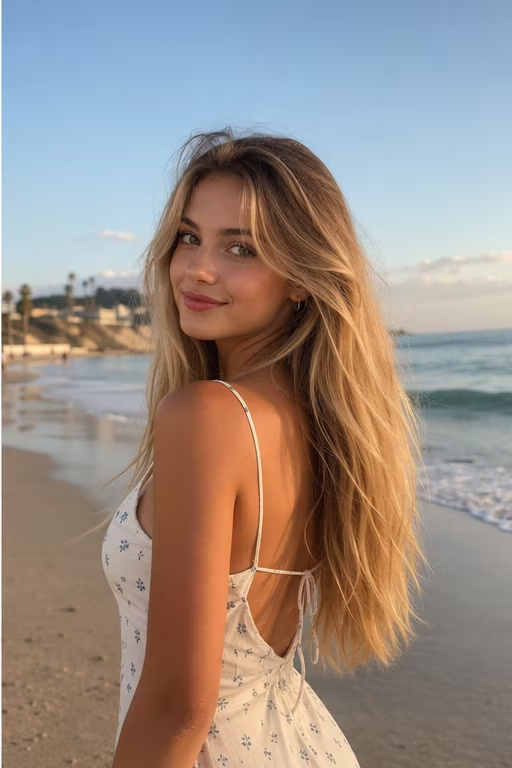
See the difference AI inpainting makes. The TikTok logo and username are removed without cropping the frame or leaving a visible blur patch.


TikTok watermark removal is legitimate when you are cleaning your own content or media you have explicit rights to edit. It is not intended for stripping attribution from third-party videos.
UnmarkAI handles MP4, MOV, AVI, and WebM files. Upload the highest-quality version of your TikTok video for the cleanest result — heavily compressed re-exports leave less detail for the AI to reconstruct.
The same cleanup workflow works for removing TikTok watermarks before cross-posting to Instagram Reels, YouTube Shorts, or paid ad campaigns — as long as you own the underlying content or have permission.
Only remove watermarks from videos you own, license, or are explicitly authorized to edit. Stripping the TikTok watermark from someone else's content without permission may violate copyright, TikTok's Terms of Service, or platform redistribution rules.
Cropping cuts away usable frame area and still misses the bouncing watermark. Blurring leaves a visible smudge that looks unprofessional. AI inpainting reconstructs the hidden pixels so your video stays full-frame and clean.
UnmarkAI is designed for creators and teams working with content they own, license, or have permission to edit. The product copy, terms, and upload flow all reinforce that boundary.
Practical answers for safe, high-quality cleanup workflows.
Yes. UnmarkAI offers a free way to test TikTok watermark removal on a short clip so you can evaluate the quality before committing to larger tasks.
Upload your saved TikTok video to UnmarkAI. The AI detects the bouncing logo and username, removes them frame by frame, and lets you download the clean version.
Yes. Each upload becomes a separate task in your task list, so you can queue multiple TikTok videos for processing.
UnmarkAI uses AI inpainting to reconstruct the covered pixels rather than blurring or cropping. The result preserves the original resolution and composition.
TikTok watermarks move between the four corners of the frame during playback. This animation makes simple crop or blur methods ineffective — AI inpainting tracks and removes it across all frames.
Only remove watermarks from videos you own, license, or have permission to edit. Removing watermarks from third-party content without authorization may violate copyright and platform terms.
Yes. UnmarkAI runs in the browser. The upload, process, preview, and download workflow works on both mobile and desktop.
Cropping cuts away part of the frame and cannot catch the bouncing TikTok watermark. AI inpainting removes the watermark while keeping the full frame, original composition, and resolution intact.
UnmarkAI supports MP4, MOV, AVI, and WebM uploads. For best results, upload the highest-quality source version available.
UnmarkAI processes uploads over a secure connection and does not share files with third parties. Files are retained only as needed to complete your task.