
如何在线清理视频水印?
上传你有权编辑的视频,选择需要清理的区域,预览效果后下载干净版本。
拖拽文件到这里,或点击浏览
MP4、MOV、AVI、MKV、WebM · 最大 2GB
查看前后对比 →


使用 AI 清理视频里的水印、文字、字幕或 Logo,尽量保留原始画质和画面构图。
UnmarkAI 面向创作者、品牌和团队,用于处理自己拥有、已授权或有权编辑的视频。上传文件后,AI 会识别遮挡区域并重建背景。
相比裁剪和模糊,AI 更适合处理移动水印、硬字幕、时间戳和角标,成片更自然。
上传你有权编辑的视频,选择需要清理的区域,预览效果后下载干净版本。
上传你有权编辑的视频,选择需要清理的区域,预览效果后下载干净版本。
AI scans the video, identifies the Instagram logo and username overlay, and reconstructs the background pixels using surrounding data. This preserves the original frame without blurring.
Compare the cleaned video against the original, check the edges where the mark was, and download your watermark-free export at high quality.
See how AI inpainting removes the Instagram Reels logo and username without cropping the vertical frame or leaving a smudge.
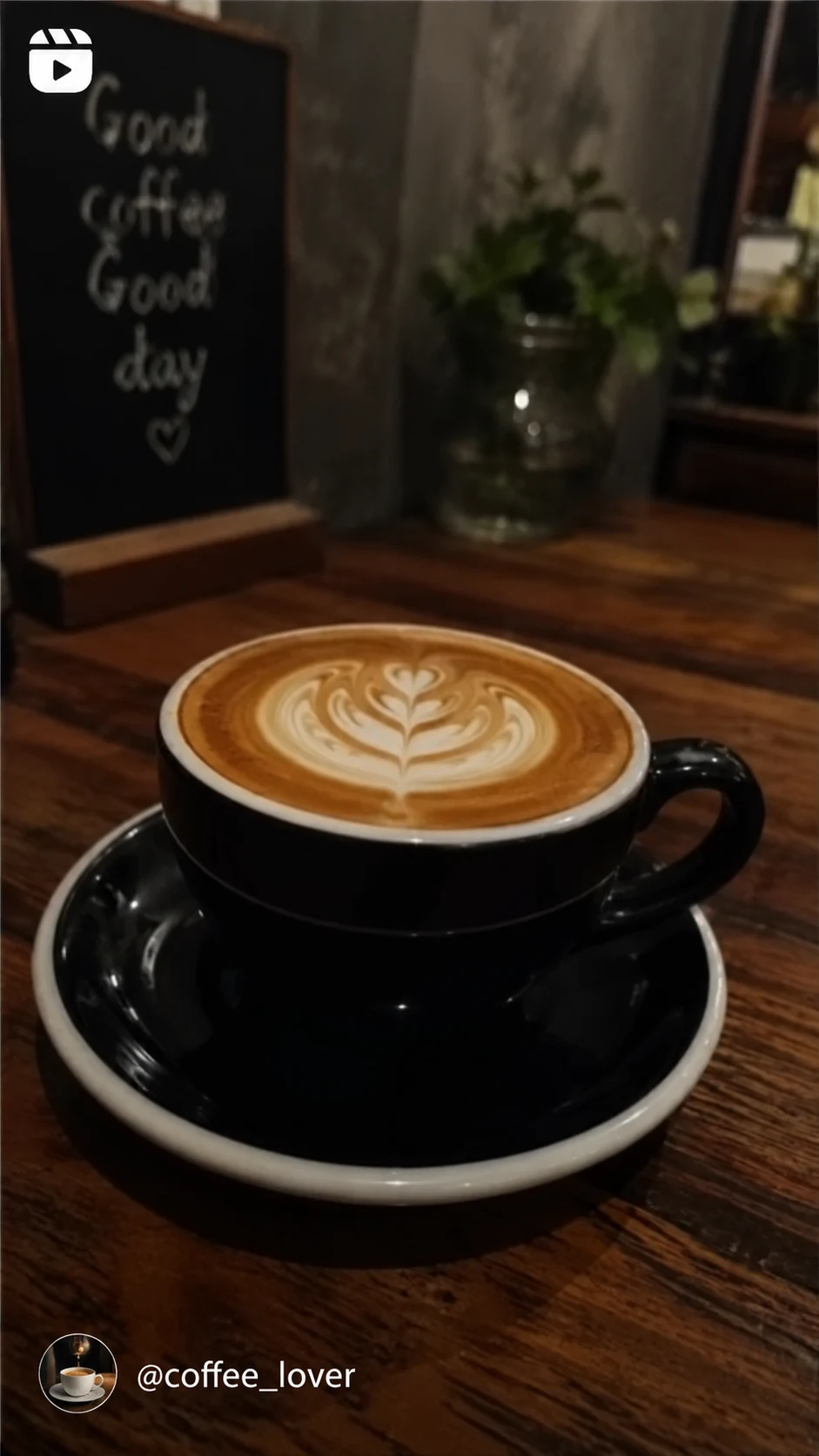

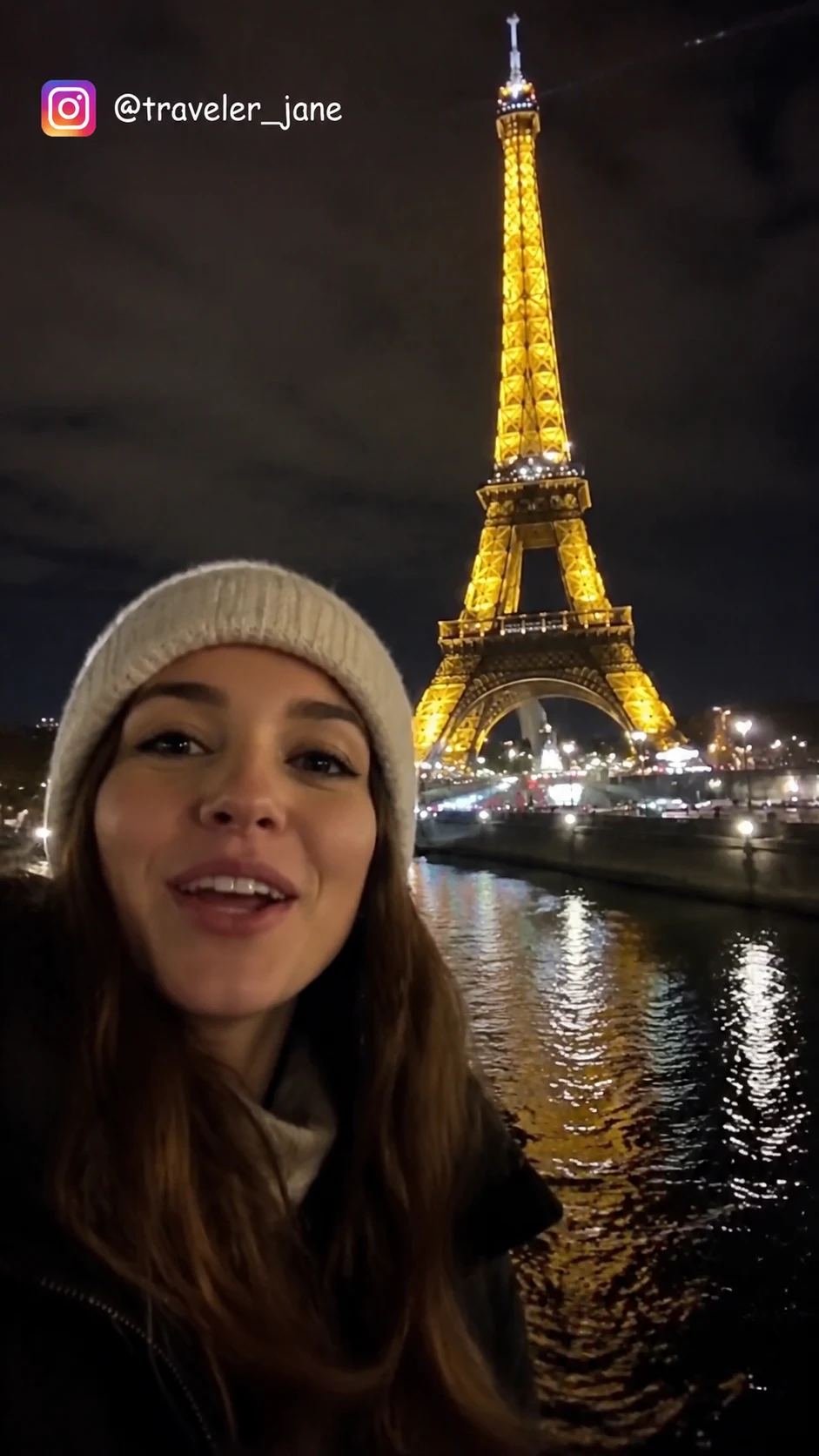
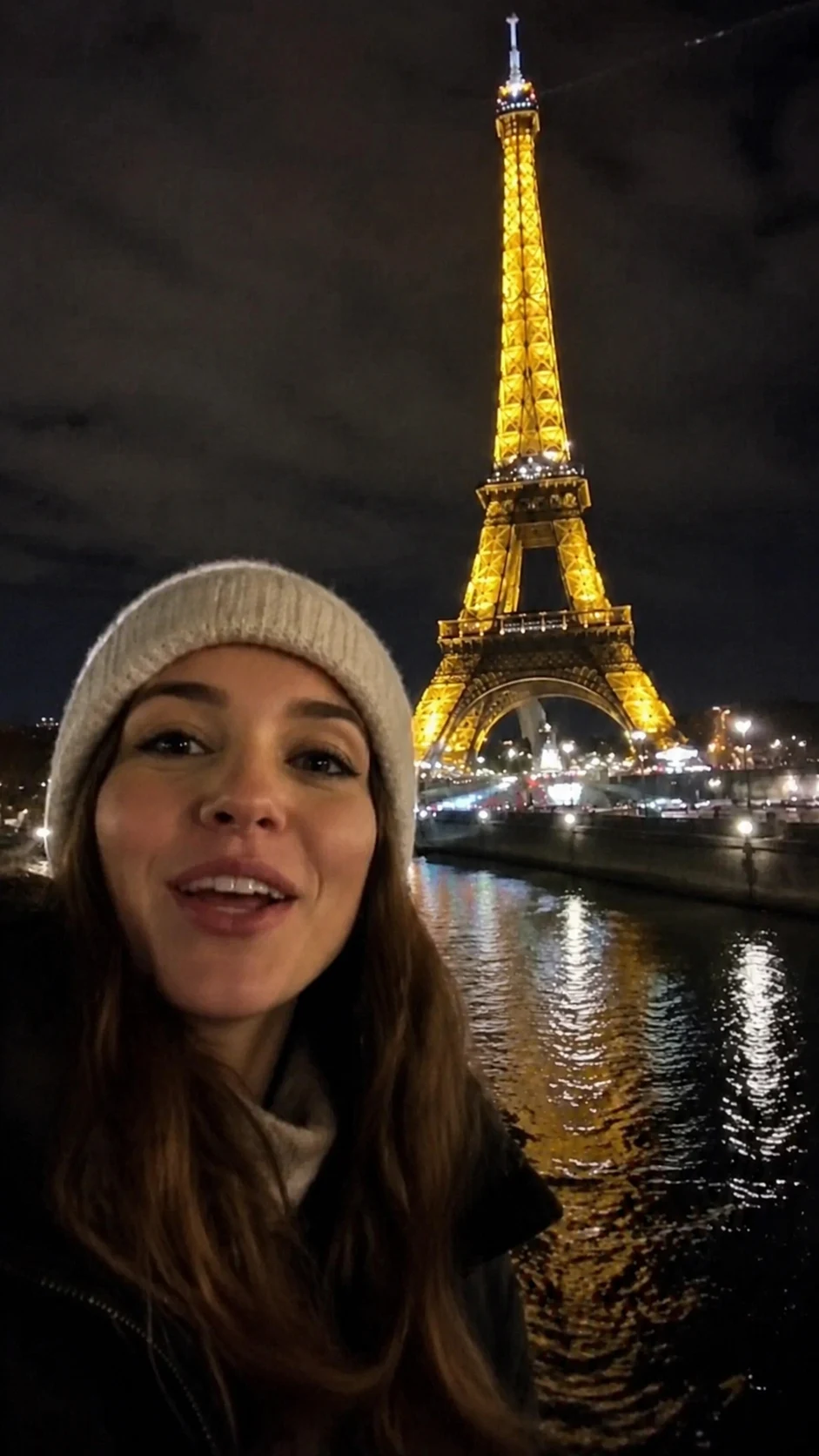
Instagram watermark removal is designed for creators who need to repurpose their own content. Always ensure you have the rights to the media before removing any platform marks.
可在手机和电脑浏览器中使用,支持 MP4、MOV、WebM 等常见格式。
可用于清理你自己的短视频、广告素材、教程视频和授权素材,便于在不同平台发布。
请确认你拥有视频版权、授权或明确许可。不要用来移除他人内容的署名或平台标识。
AI 会根据周围画面补全被遮挡区域,减少裁剪、模糊和贴片带来的痕迹。
UnmarkAI 面向创作者和团队,用于处理自己拥有、已授权或有权编辑的内容。产品文案、条款和上传流程都会强调这一边界。
关于安全、高质量视频清理流程的实用解答。
适合你自己拥有或已获授权的视频,例如原创短视频、品牌素材、课程片段和内部资料。
Upload your Reel to UnmarkAI, let the AI scan for the logo and username, and click process. You can then preview the result and download a clean, watermark-free version of your video.
Yes. AI inpainting can detect and remove both the Instagram logo and the creator handle overlay that appears on downloaded Reels.
UnmarkAI offers an online AI-powered tool to remove Instagram watermarks. You can preview the results for free before downloading.
让视频少一点干扰,更适合发布、交付和复用。
注册获得 10 个积分 · 无需付费