AI TikTok 透かし削除

TikTok 動画の透かし削除ツール - ぼかしなし

動画をアップロード

ファイルをドラッグ&ドロップ、またはクリックして選択

動画は安全に処理され、共有されません

MP4、MOV、AVI、MKV、WebM · 最大 2GB

違いを見る

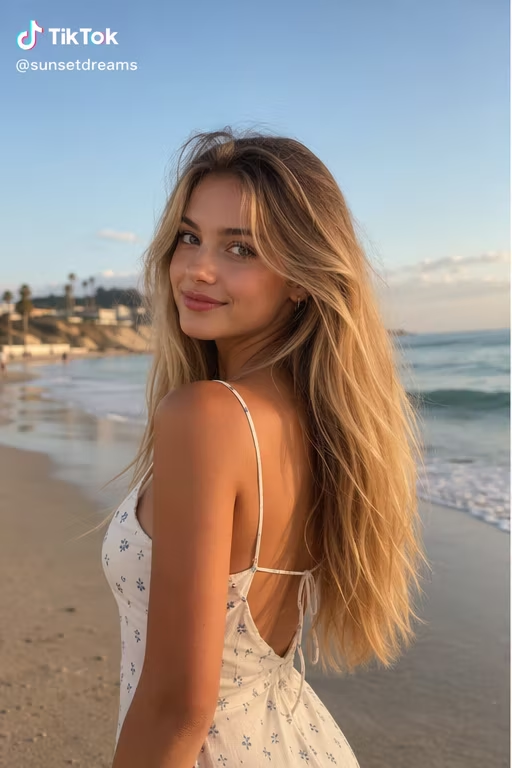
処理前TikTok video with a watermark before AI removal - UnmarkAI
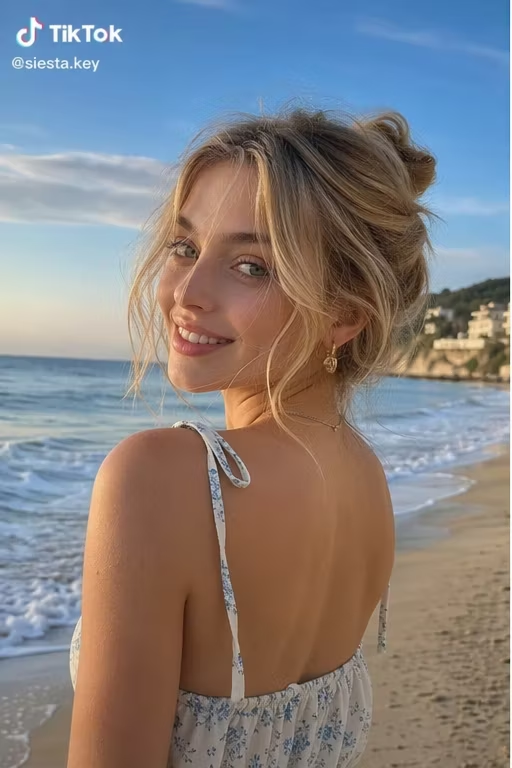
処理後TikTok video after AI watermark removal - UnmarkAI

TikTok の動くロゴやユーザー名の透かしを、ぼかしや切り抜きに頼らず AI で自然に除去します。

自分が作成した、または編集許可のある TikTok 動画をアップロードするだけ。AI がフレームごとに透かし位置を検出し、背景を補完してクリーンな動画に仕上げます。

クリエイター向けの TikTok 透かし削除

ショート動画を複数のSNSへ展開する場合、透かしが残ると見栄えが落ちます。AI 処理なら構図を保ったまま自然な仕上がりを狙えます。

  • Works on deleted or private TikTok videos
  • No need to copy-paste links or URLs
  • Perfect for cleaning your own saved backups
  • AI tracks the bouncing logo better than blur tools

TikTok の透かしを消す方法

権利のある動画をアップロードし、AI が動く透かしを検出。プレビューで確認してからダウンロードできます。

01

TikTok の透かしを消す方法

権利のある動画をアップロードし、AI が動く透かしを検出。プレビューで確認してからダウンロードできます。

02

AI detects and removes the watermark

AI scans each frame, finds the bouncing TikTok logo and username, and reconstructs the covered pixels using the surrounding background. No manual selection required.

03

Preview and download

Compare the cleaned clip against the original, check edges and motion-heavy areas, then download a watermark-free export at the original resolution.

TikTok watermark removal results

See what AI inpainting can do. The TikTok logo and username are removed without cropping the frame or leaving a visible blur patch.

  • No blur or smudgeAI reconstructs the background behind the watermark pixel by pixel.
  • Full frame preservedNo cropping needed — the entire frame stays intact at the original resolution.
  • Handles animated logosThe bouncing TikTok watermark is tracked and removed across every frame automatically.
処理前Bouncing TikTok logo - before
処理後Bouncing TikTok logo - after
もっと自然な動画に仕上げますか?AI 処理でぼかしなし、画質低下なし。
無料で開始
処理前TikTok username overlay - before
処理後TikTok username overlay - after
もっと自然な動画に仕上げますか?AI 処理でぼかしなし、画質低下なし。
無料で開始

Authorized use only

TikTok watermark removal is legitimate when you are cleaning your own content or media you have explicit rights to edit. It is not meant for stripping attribution from third-party videos.

  • Original contentTikTok videos you created yourself, where you control all editing rights.
  • Licensed mediaStock or licensed clips where the license permits derivative edits and cleanup.
  • Cross-platform postingPosting your own TikTok content to Reels, Shorts, or ads without the platform watermark.
  • Client-approved editsVideos where the content owner gave written approval for the cleanup.

スマホとPCの主要形式に対応

MP4、MOV、WebM などの動画をブラウザからアップロードできます。iPhone、Android、Mac、Windows で利用できます。

  • Full HD (1080p) and 4K support
  • No quality loss or forced compression
  • Batch process multiple TikTok clips at once
  • Compatible with MP4, MOV, and AVI formats

再投稿や編集素材づくりに

自分の TikTok 動画を Reels、Shorts、広告素材などに再利用しやすくします。第三者の動画には使わないでください。

  • iOS/iPhone: Save directly to your Camera Roll
  • Android: Works in Chrome with direct gallery access
  • Desktop: Batch processing for Mac and Windows
  • No app download or registration required

権利のある動画だけを処理

自分が所有する動画、ライセンス済み動画、または編集許可を得た動画だけを処理してください。

  • Safe for your own original TikTok content
  • Get written permission before editing others' videos
  • Do not use this to steal or reupload third-party content
  • Review each platform's terms before cross-posting

AI がぼかしやトリミングより自然な理由

トリミングは画角を失い、ぼかしは跡が残ります。AI は周辺の映像から隠れた背景を補完します。

  • No forced crop — keeps the original composition
  • No visible blur or smudge where the logo was
  • Tracks the bouncing watermark across all frames
  • Batch-friendly — queue multiple TikTok clips at once
信頼性

権利のある動画編集のために設計

UnmarkAI は、自分が所有する、ライセンスを持つ、または編集許可のある動画を扱うクリエイターやチーム向けのサービスです。

権利に配慮したワークフローダウンロード前に確認安全な処理明確な利用ポリシー

よくある質問

安全で高品質な動画クリーンアップに関する実用的な回答です。

スマホで TikTok の透かしを削除できますか?

はい。Safari や Chrome から動画をアップロードし、処理後に端末へ保存できます。

How do I remove a TikTok watermark on iPhone or Android?

Simply open UnmarkAI in your mobile browser (Safari or Chrome), upload the TikTok video from your gallery or camera roll, and let the AI process it. Once finished, you can save the watermark-free video directly back to your device.

Why does my TikTok link not work in a downloader?

Most TikTok downloaders (like SnapTik) fail if the video has been deleted, set to private, or restricted by the creator. UnmarkAI solves this by cleaning the video file itself. If you have the video saved, our AI can remove the watermark even if the original link is broken.

Will removing the watermark reduce video quality?

No. Unlike basic editors that use blurring or cropping, UnmarkAI uses AI inpainting to reconstruct pixels. This allows you to remove the TikTok logo while maintaining 1080p HD resolution and full-frame composition.

動画をきれいに整えますか?

不要な透かしや文字を減らし、投稿や納品に使いやすい動画へ。

今すぐ無料で始める

登録で 10 クレジット付与 · クレジットカード不要